Zoho Catalyst 3.0 Brings Agent Skills, MCP and AI-Powered App Deployment Into One Platform
Tools such as Claude Code, Codex, Cursor and other AI-powered development environments can generate functions, modify files, explain code and even work through large development tasks.
But generating code is only one part of building an application.
After the code is written, developers still have to configure databases, authentication, hosting, APIs, storage, deployment environments and other infrastructure.
That gap between AI-generated code and a production application is exactly what Zoho is targeting with Catalyst 3.0.
Announced on September 2, 2026, Zoho Catalyst 3.0 is an agent-ready full-stack cloud development platform designed to let AI coding assistants work directly with application infrastructure. Its new capabilities include Agent Skills, Model Context Protocol (MCP) support, AI IDE integrations and AI-assisted workflows.
Instead of stopping after producing code, an AI agent connected to Catalyst can interact with the platform and help move an application toward deployment.
That makes Catalyst 3.0 an interesting development in the growing shift from AI coding assistants toward agentic software development.
What Is Zoho Catalyst 3.0?
Catalyst is Zoho's full-stack cloud development platform.
It provides services that developers can use to build and deploy applications without managing every part of the underlying infrastructure themselves.
The new Catalyst 3.0 release adds an agent-oriented layer to that platform.
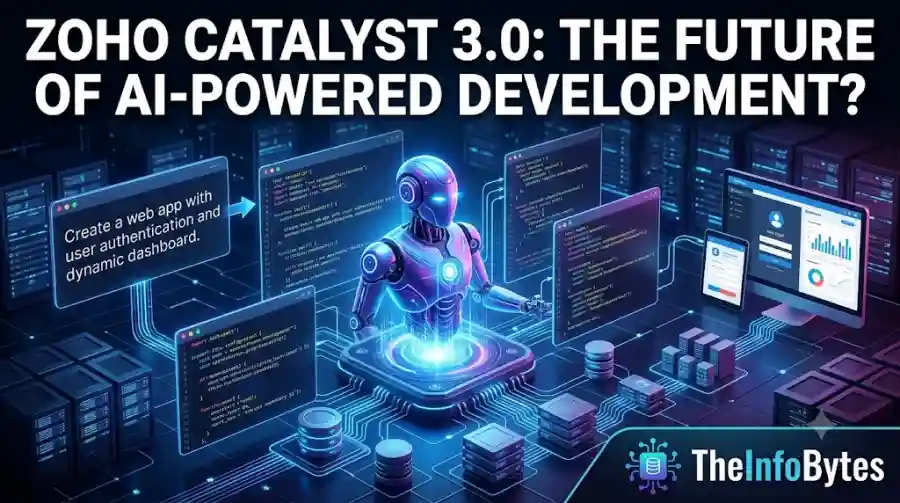
Zoho describes the goal as moving applications from prompt to production in one cloud environment.
The important change is that AI coding assistants can receive additional context about Catalyst and interact with its infrastructure through tools designed for agentic development.
This is different from simply asking an AI chatbot to generate code.
A traditional workflow might look like this:
Prompt → AI generates code → Developer configures infrastructure → Developer deploys
Catalyst 3.0 is designed to make the process closer to:
Prompt → AI agent understands the platform → AI agent builds and configures → Application is deployed
The developer remains involved and retains control over the environment.
Agent Skills Give AI Coding Tools Catalyst Knowledge
One of the biggest additions in Catalyst 3.0 is Agent Skills.
AI coding agents can be powerful, but they need the right context to work effectively with a particular development platform.
Zoho's Agent Skills provide that context.
According to Zoho, the skills allow AI coding assistants to understand Catalyst services, development patterns and implementation requirements so they can generate code suited to the platform.
This is particularly useful for developers who do not want to repeatedly explain how a platform works to an AI agent.
Catalyst says its skills are available for popular AI development environments and have also been made available through Claude Code and Codex marketplaces.
That means developers can bring AI assistance into the workflow without completely changing their preferred coding environment.
MCP Lets AI Agents Interact With Infrastructure
Another major component is Model Context Protocol, commonly known as MCP.
MCP provides a standardized way for AI systems to connect with external tools and services.
Catalyst uses MCP to allow AI agents to interact with the platform's infrastructure.
Zoho's documentation describes the Catalyst MCP server as a way for an AI model to obtain the context it needs to perform operations in the Catalyst console without requiring the developer to leave their coding environment.
This changes the role of an AI coding assistant.
Instead of only suggesting commands, the agent can potentially perform actions through the connected tools.
For example, an agent could work with application resources while the developer remains inside the coding environment.
The broader trend is important because MCP is becoming a key technology for connecting AI agents with real-world software systems.
Catalyst Supports Major AI Coding Environments
Zoho is not designing Catalyst 3.0 around a single AI assistant.
Its Catalyst 3.0 platform lists support for tools including:
- Claude
- Cursor
- Codex
- Gemini
- GitHub Copilot
- Devin
This approach is important because developers increasingly use different AI coding tools depending on the project.
Rather than requiring users to adopt a new AI assistant, Catalyst is positioning its infrastructure as a layer that can work with multiple agentic development environments.
That could make the platform more attractive to teams that already have established AI development workflows.
A Non-Interactive CLI Reduces Manual Steps
Catalyst 3.0 also introduces a non-interactive command-line interface.
A traditional CLI may pause during execution and ask the user for input.
That can create a problem for autonomous AI agents.
If an agent starts a task but encounters a command that requires manual confirmation, the workflow can stop.
Zoho's non-interactive CLI is designed to allow tasks to run from beginning to end without requiring manual input during execution.
This is a small-looking feature with a potentially important role in agentic development.
AI agents need predictable interfaces.
If every infrastructure operation requires a human to stop and answer a question, autonomous workflows become much less useful.
A non-interactive interface can therefore make automation easier.
Catalyst Is Designed to Cover More Than Code
One of the biggest ideas behind Catalyst 3.0 is that application development is not only about writing source code.
A production application also needs infrastructure.
That can include:
- Frontend hosting
- Backend services
- Databases
- Authentication
- Storage
- APIs
- Monitoring
- Deployment
- AI and machine-learning services
- Security controls
Catalyst positions these capabilities inside one development platform.
Its website currently advertises more than 30 services, along with frontend, backend, data, AI/ML and DevOps capabilities.
For AI agents, having these components available through a unified environment can reduce the number of external systems that need to be connected.
Developers Still Keep Control
Giving an AI agent access to infrastructure creates an obvious question:
What happens if the agent makes a mistake?
Zoho has built several controls into Catalyst's agent architecture.
The company says developers can configure scoped permissions for agents, while destructive commands are disabled in non-interactive mode.
Catalyst also provides application logs, platform logs and MCP tool-call logs so teams can see what actions were performed.
Changes are versioned and designed to be attributable and reversible.
These controls are becoming increasingly important as AI agents move from generating suggestions to performing actual actions.
An agent that can write code is one thing.
An agent that can create infrastructure, modify data or deploy an application needs significantly stronger governance.
Why Agent Governance Matters
Agentic development introduces a different risk model from traditional AI-assisted coding.
A chatbot can generate incorrect code, but the developer normally decides whether to execute it.
An agent connected directly to infrastructure may have the ability to perform actions itself.
That means permissions, audit logs and rollback mechanisms become critical.
Catalyst's approach attempts to address this by giving agents controlled access rather than unrestricted authority.
Its platform highlights scoped collaborator controls, audit trails and versioned changes as part of its developer-control system.
This could become an increasingly important selling point as businesses adopt autonomous coding workflows.
Catalyst 3.0 Also Targets Non-Developers
AI-assisted development is gradually lowering the technical barrier to software creation.
Catalyst 3.0 supports this trend by making it possible to describe applications using natural language and have AI coding systems generate the implementation.
This is often described as vibe coding.
The concept is simple.
Instead of starting with programming syntax, a user explains what they want to build.
An AI system converts that description into software.
Catalyst's goal is to extend that workflow beyond code generation and toward deployment.
That could allow designers, marketers, business professionals and students to participate more directly in application development, although production applications still require careful testing, security review and human oversight.
Zoho Is Offering Free Access to Catalyst
Catalyst 3.0 is available for immediate use.
Zoho says Catalyst includes a monthly free tier for developers exploring the platform.
The company is also offering ₹15,000 equivalent in free cloud credits for users who want to explore beyond the standard free tier for six months.
There is also a dedicated student program.
Students can access the latest version of Catalyst for free for educational and non-commercial use.
This could make the platform particularly interesting for students who want to experiment with AI-assisted software development without immediately paying for cloud infrastructure.
How Catalyst 3.0 Compares With Traditional AI Coding
Traditional AI coding tools primarily focus on the development environment.
They can help users:
- Write code
- Debug errors
- Refactor applications
- Explain unfamiliar projects
- Generate tests
- Modify files
But developers may still need separate services for deployment and infrastructure.
Catalyst is trying to bring those pieces closer together.
Traditional AI Coding Workflow
AI assistant → Code → Developer → Cloud platform → Configuration → Deployment
Catalyst Agentic Workflow
AI assistant → Catalyst context → Infrastructure actions → Deployment
The second workflow does not eliminate developers.
Instead, it attempts to reduce the amount of manual infrastructure work required after code generation.
Who Should Use Zoho Catalyst 3.0?
Catalyst 3.0 is particularly relevant to developers and teams building applications with AI-assisted coding.
Developers
Developers can use AI agents to accelerate application creation while using Catalyst for backend and infrastructure services.
Startups
Small teams may benefit from having application infrastructure available through one platform rather than assembling multiple services.
Enterprise Teams
Organizations can benefit from governance, logging and controlled agent permissions when experimenting with agentic development.
Students
The free student program makes Catalyst interesting for learning modern AI-assisted development.
AI Builders
Developers experimenting with autonomous coding agents may find MCP and Agent Skills particularly useful.
What Makes Catalyst 3.0 Different?
The biggest difference is not simply that Catalyst now includes AI.
Many development platforms already provide AI-assisted coding.
Catalyst's more interesting proposition is connecting AI agents with the infrastructure required to turn generated code into an operational application.
That means Zoho is targeting the part of development that begins after the AI writes the code.
This distinction could become more important as AI coding models improve.
If models become capable of producing high-quality software quickly, infrastructure and deployment could become the next major bottlenecks.
The Bigger Shift Toward Agentic Software Development
Catalyst 3.0 arrives during a broader industry shift.
AI coding tools are increasingly moving from passive assistants toward agents that can plan tasks, use tools and execute multi-step workflows.
MCP is helping connect these agents to external systems.
Agent Skills give models specialized knowledge.
Cloud platforms provide the infrastructure where applications actually run.
Putting those three pieces together creates a new type of development workflow.
The long-term question is whether developers will increasingly describe what they want in natural language while AI agents handle more of the implementation and infrastructure work.
Catalyst 3.0 is one example of that direction.
Should You Try Zoho Catalyst 3.0?
If you are learning AI-assisted development, building full-stack applications or experimenting with coding agents, Catalyst 3.0 is worth exploring.
Its free access options reduce the initial barrier, while MCP and Agent Skills make it more interesting than a conventional cloud development platform.
However, developers should still treat AI-generated applications carefully.
AI agents can make incorrect architectural decisions, introduce bugs or configure services incorrectly.
The ability to automate infrastructure does not remove the need for testing, security reviews and human approval.
For production applications, those safeguards remain essential.
Zoho Catalyst 3.0 represents an important step in the evolution of AI-assisted software development.
Instead of treating AI as a tool that simply writes code, Zoho is building a platform where AI agents can understand the development environment, interact with infrastructure and help move applications toward production.
Its combination of Agent Skills, MCP, AI IDE integrations and automated workflows makes it particularly relevant as coding agents become more capable.
The free tier and student program also make the platform easier for new developers to experiment with.
The bigger opportunity is the code-to-production gap.
AI can already generate large amounts of software. The next challenge is connecting that software to databases, infrastructure, authentication, hosting and deployment without creating additional complexity.
Catalyst 3.0 is Zoho's answer to that problem.
Whether it becomes a major development platform will depend on how well its agent integrations perform in real-world projects.
But the direction is clear: AI coding is moving beyond generating code toward building and deploying complete applications.
FAQs
What is Zoho Catalyst 3.0?
Zoho Catalyst 3.0 is an agent-ready full-stack cloud development platform designed to help developers and AI coding agents move applications from prompts and code toward production.
What are the main new features in Catalyst 3.0?
The major additions include Agent Skills, Model Context Protocol support, AI IDE integrations, AI-assisted workflows and a non-interactive CLI.