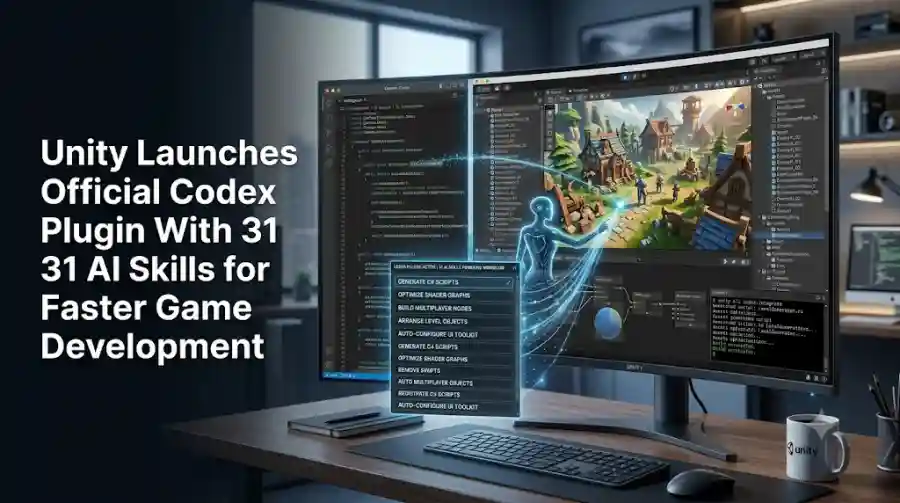
Unity’s Official OpenAI Codex Plugin Adds 31 Engine Skills, CLI Tools and Unity 6 Support
On September 16, 2026, Unity announced its official Unity Plugin for OpenAI Codex, giving Codex access to a collection of Unity-specific skills written and maintained by Unity engineers. The initial release includes 31 skills covering major areas of the engine, including UI, 2D, rendering, audio, navigation, multiplayer, monetization and localization.
The plugin also adds a Unity CLI skill that allows Codex to install Unity Editors, create and open projects, and manage packages directly from the terminal.
Unity says the plugin is compatible with Unity 6 and later.
This is more specific than simply connecting a general-purpose coding assistant to a Unity project.
Instead, Unity is giving the agent its own documented engine workflows.
What Is the Unity Codex Plugin?
The Unity Codex plugin is a first-party integration between Unity and OpenAI Codex.
Its primary purpose is to give Codex access to Unity-specific guidance so the coding agent can work with the engine using practices maintained by Unity's own engineering teams.
Unity says general-purpose coding agents can sometimes rely on old tutorials, forum discussions or outdated documentation when answering Unity questions. That can result in code that technically looks reasonable but uses APIs or workflows that no longer match the current engine.
The official plugin is designed to reduce that problem by supplying current Unity-specific skills directly to the agent.
Rather than expecting Codex to reconstruct the correct workflow from years of online material, the plugin provides instructions built around how Unity features are intended to be used.
31 Unity Skills Are Included at Launch
The first version of the plugin includes 31 skills.
Unity says the skills are written by the teams responsible for the corresponding engine features and that additional skills will be added over time.
The initial collection covers a wide range of game-development tasks.
These include:
- UI Toolkit and uGUI
- 2D and tilemaps
- URP and Shader Graph
- Audio
- Navigation
- Physics
- In-App Purchasing
- LevelPlay
- Multiplayer
- Web
- Localization
The breadth is important because AI-assisted game development often involves much more than writing C# scripts.
A developer might need to configure a rendering pipeline, create a UI system, set up multiplayer behavior, work with localization or configure monetization features.
The plugin attempts to give Codex specialized knowledge for those areas.
Unity Wants Codex to Use Current Engine Practices
One of the central ideas behind the plugin is version-aware guidance.
A general coding model may have learned Unity information from sources created years ago.
Game engines change continuously.
APIs are deprecated, workflows are redesigned, packages are updated and new systems replace older approaches.
Unity says its first-party skills are designed so Codex can check the project and work from current APIs instead of relying on an average of historical information found across the web.
For developers, that can matter more than raw code-generation speed.
A generated script that uses an obsolete approach may require significant cleanup.
A skill that directs the agent toward the current Unity workflow can potentially reduce that correction work.
The Plugin Works With Unity 6 and Later
The official plugin is designed for Unity 6+.
Unity's documentation confirms that Unity 6.0 or later is a prerequisite for using the plugin.
This is important for developers working with older projects.
The integration should therefore not be treated as a universal compatibility layer for every Unity version released over the years.
Teams using legacy projects may need to consider how their existing packages and APIs fit with the current Unity workflows represented by the plugin.
Codex Can Manage Unity From the Terminal
The plugin is not limited to contextual advice.
Unity includes a dedicated unity-cli skill that allows Codex to work with parts of the Unity development environment through the terminal.
According to Unity, the skill can:
- Install Unity Editors
- Create projects
- Open projects
- Manage packages
This means the coding agent can participate in project setup and environment management rather than only editing source files.
That is an important step toward a more automated development workflow.
Instead of manually preparing every project before asking an AI agent to help, some setup tasks can be handled directly through the terminal.
Setting Up the Plugin Is Designed to Be Simple
Unity says developers can install the Codex plugin with two terminal commands or use a one-click installation path through the OpenAI plugin directory.
The company also says there is no per-project configuration and nothing needs to be copied between machines when moving to another computer.
That approach is useful for teams because it reduces setup differences between environments.
Developers can install the integration once and then use it across compatible Unity projects.
The Plugin Is Not the Same as Unity Editor Control
There is an important technical distinction between Unity's Codex plugin and the company's other AI integrations.
Unity's official community documentation notes that the Codex plugin is a skills package and does not itself act as an MCP server for controlling a running Unity Editor.
That means the Codex integration should not be described as a direct live-Editor-control system.
Instead, it gives the agent Unity-specific skills and CLI capabilities.
This distinction matters because Unity also offers a separate official plugin for Claude Code that includes the Unity CLI and an MCP server for live Editor control.
The two integrations therefore share the broader goal of improving agent-based Unity development, but their technical implementations are not identical.
What Can Codex Do With Unity Skills?
The exact workflow depends on which skill the agent invokes and what the developer asks it to accomplish.
The broader concept is that Codex can receive Unity-specific instructions when handling tasks involving supported engine features.
For example, a developer working on a game interface can ask Codex to work with Unity's UI systems.
A graphics-focused task can use skills related to URP or Shader Graph.
A multiplayer project can make use of the multiplayer-specific knowledge included in the plugin.
The advantage is not simply that the model knows the names of those features.
The plugin is intended to provide the procedural context required to use them appropriately.
Why First-Party Skills Matter for AI Game Development
Game engines are unusually complex development environments.
They combine programming with:
- Scene management
- Rendering
- Physics
- Animation
- Audio
- Asset pipelines
- Platform services
- Multiplayer systems
- Editor tooling
A general coding agent may understand programming concepts but still struggle with the relationships between these systems.
A first-party skill library changes the source of that specialized knowledge.
Instead of learning only from generic training data and public tutorials, the agent receives structured guidance created around the engine itself.
Unity says the skills are written by the engineers responsible for the corresponding features.
That gives the plugin a more direct relationship with the current Unity development stack.
How This Could Change AI-Assisted Game Development
The most interesting part of the launch is not the number 31 by itself.
It is the direction Unity is taking.
Game developers are increasingly using AI agents as part of their development workflow.
An agent can already help write scripts, search files, modify configurations and perform repetitive coding tasks.
The challenge is making the agent understand how the engine should be used, not merely how code should be written.
Unity's plugin targets that specific problem.
A more specialized agent workflow could look like this:
Developer request → Unity-specific skill → project inspection → current API usage → implementation → verification
Unity says its official skills are intended to help the agent check the project, use current APIs and verify results before handing them back to developers.
That verification step is particularly useful for engine-based development because successful compilation does not necessarily mean the resulting game behavior is correct.
AI Agents Can Make Game Development Faster, But Verification Still Matters
The launch does not remove the need for developers.
AI-generated code can still contain mistakes, misunderstand requirements or make assumptions about a project's architecture.
Unity's messaging around the plugin is therefore not simply about handing game development over to AI.
The company emphasizes that its skills are designed to improve the agent's approach to engine-specific tasks.
Developers still need to inspect important changes, test gameplay and verify that the implementation behaves as expected.
This is especially important for areas such as multiplayer networking, rendering, monetization and platform integrations, where a small implementation mistake can produce larger downstream problems.
Unity Is Building an AI Development Layer Around Its Engine
The Codex plugin is another sign that Unity wants AI agents to become part of the standard engine workflow.
The company previously released an official plugin for Claude Code on September 9, 2026, with 29 skills, Unity CLI support and MCP-based Editor control.
One week later, Unity expanded this strategy to OpenAI Codex with 31 skills.
Unity's official documentation now describes its plugin for third-party agents as supporting Claude Code, Codex and Grok, with skills for areas such as 2D, UI Toolkit, localization, multiplayer, live services, LevelPlay and In-App Purchasing.
The larger direction is clear: Unity is creating official interfaces between its engine and AI development agents instead of leaving those integrations entirely to third-party scripts.
Unity Codex Plugin vs a Generic Coding Agent
There is a fundamental difference.
A generic coding agent can often write C# and understand software-development concepts.
But Unity development requires engine-specific knowledge.
The official Unity plugin adds that specialized layer.
| Capability | Generic Coding Agent | Unity Codex Plugin |
|---|---|---|
| General programming | Yes | Yes |
| Unity-specific skills | Limited or model-dependent | 31 first-party skills |
| Unity CLI workflows | Not guaranteed | Supported |
| Unity 6+ workflows | Model-dependent | Officially supported |
| Feature-specific Unity guidance | General knowledge | Unity-engineer authored skills |
| Project setup assistance | Depends on agent | Unity CLI skill |
| First-party Unity guidance | No | Yes |
The distinction is not that Codex suddenly becomes perfect at game development.
Rather, Unity is giving the agent a dedicated source of current engine instructions.
Who Should Use the Unity Codex Plugin?
The plugin is primarily relevant to developers already using OpenAI Codex and working with Unity 6 or later.
It may be particularly useful for:
Indie Game Developers
Solo developers can use AI assistance for repetitive engine tasks while keeping the development workflow inside familiar tools.
Small Game Studios
Smaller teams can use agent-based workflows to reduce time spent on routine implementation and project setup.
Technical Artists
The rendering, UI and Shader Graph-related skills could be relevant for workflows that sit between programming and visual development.
Multiplayer Developers
The multiplayer-specific skill provides an engine-focused context for tasks involving Unity's multiplayer systems.
Developers Experimenting With AI-Native Workflows
Teams that want to move from AI-assisted coding toward more autonomous development workflows can use the plugin as a foundation for working with Unity through Codex.
Availability
Unity says the official Codex plugin is available now.
It supports Unity 6 and later, and installation can be performed through the Codex plugin directory or from the terminal.
The plugin's skill library is expected to expand as Unity adds more supported workflows.
That means the initial 31 skills should be viewed as the starting point rather than a fixed feature set.
Unity's official Codex plugin is a meaningful step toward making AI coding agents more useful for game development.
The key difference is specialization.
Instead of asking a general-purpose coding model to reconstruct Unity workflows from old tutorials, forum posts and scattered documentation, Unity is supplying first-party skills written by the teams responsible for the engine's features.
The initial release includes 31 skills, Unity CLI capabilities and compatibility with Unity 6 and later.
For developers, the potential benefit is less time spent correcting outdated or engine-incompatible AI-generated solutions.
The plugin also signals a broader change in how game engines may integrate with AI.
As coding agents become capable of handling larger portions of development, the most valuable integrations may not simply be faster code generation. They may be the specialized knowledge layers that teach those agents how a specific development environment is actually supposed to work.
Unity is now building exactly that layer for Codex.
Frequently Asked Questions
What is the Unity Codex plugin?
The Unity Codex plugin is an official first-party integration that gives OpenAI Codex Unity-specific development skills and CLI capabilities.
How many skills does the Unity Codex plugin include?
The initial release includes 31 skills, covering areas such as UI, 2D, rendering, audio, navigation, physics, multiplayer, monetization, web and localization.