The Fastest Developers in 2026 Aren't Writing More Code—They're Building Smarter Workflows
A few years ago, AI coding tools were mostly autocomplete systems.
They could finish a function, suggest a variable name, or generate a few lines of code.
Helpful? Absolutely.
Transformative? Not really.
Fast forward to 2026, and the landscape looks completely different.
Today's AI coding agents don't just complete code snippets. They can analyze repositories, understand project structures, identify bugs, generate tests, explain code, suggest architecture improvements, and even perform multi-step development tasks.
For many developers, the conversation has shifted from:
"Can AI write code?"
to
"How much of my workflow can AI help automate?"
The answer is increasingly: quite a lot.
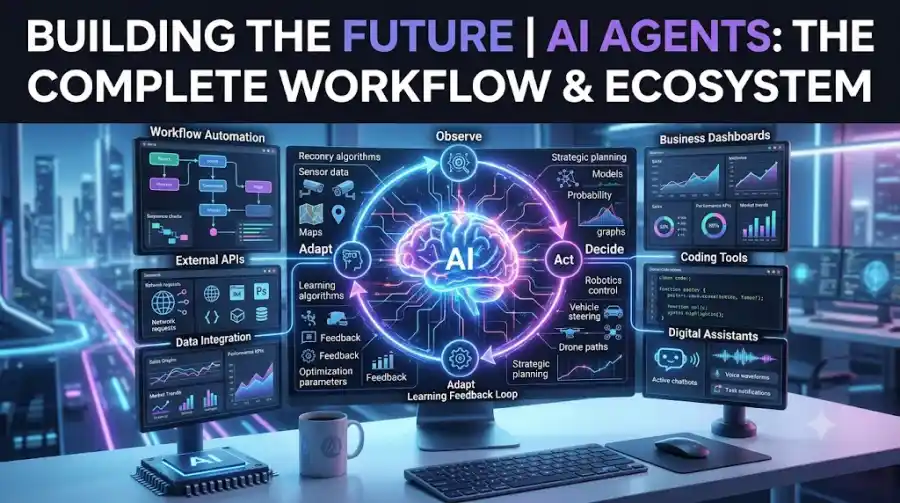
The rise of Agentic AI has created a new generation of development tools that go beyond simple code generation. These systems can reason through tasks, interact with development environments, use external tools, and help move projects from idea to deployment more efficiently.
In this guide, we'll explore the best AI coding agents in 2026, what makes them useful, and how developers are using them in real-world workflows.
What Is an AI Coding Agent?
An AI coding agent is a software system that helps developers complete programming tasks with varying levels of autonomy.
Unlike traditional coding assistants that simply generate code snippets, coding agents can often:
- Understand project context
- Analyze codebases
- Debug issues
- Generate tests
- Refactor code
- Create documentation
- Suggest improvements
- Execute multi-step workflows
Think of them as digital development assistants rather than simple autocomplete tools.
The most advanced systems can work across multiple files, maintain context across sessions, and interact with tools commonly used in software development.
Why AI Coding Agents Are Growing So Fast
Software development has always involved more than writing code.
Developers spend significant time on:
- Research
- Debugging
- Documentation
- Testing
- Reviewing code
- Configuration
- Maintenance
Many of these tasks are repetitive.
AI coding agents excel at reducing repetitive work while allowing developers to focus on architecture, problem-solving, and product development.
This productivity advantage is one of the main reasons AI coding tools have become increasingly popular among developers, startups, and engineering teams.
1. GitHub Copilot
Best For: Everyday Software Development
GitHub Copilot remains one of the most widely used AI coding tools.
Its strength comes from tight integration with developer workflows.
Developers use Copilot for:
- Code completion
- Function generation
- Documentation
- Test creation
- Refactoring assistance
The tool works across multiple programming languages and development environments.
Strengths
- Strong IDE integration
- Broad language support
- Fast suggestions
Ideal Users
- Beginners
- Professional developers
- Software teams
2. Cursor
Best For: AI-Native Development
Cursor has become one of the most talked-about development environments among AI-focused developers.
Unlike traditional editors that add AI features later, Cursor was built with AI at its core.
Popular capabilities include:
- Repository understanding
- Multi-file editing
- Natural language coding
- Context-aware suggestions
Many developers now use Cursor as their primary development environment because of its workflow-focused design.
Strengths
- Deep project awareness
- Fast iteration
- Excellent user experience
3. Replit Agent
Best For: Building Applications Quickly
Replit Agent focuses on turning ideas into working applications.
Instead of manually creating every component, users can describe what they want to build.
The agent helps generate:
- Interfaces
- Backend logic
- Integrations
- Project structures
This makes it attractive for founders, students, and indie developers.
Strengths
- Beginner-friendly
- Rapid prototyping
- Cloud-based workflow
4. OpenHands
Best For: Open-Source Development
OpenHands has gained attention because it provides an open-source approach to AI-assisted development.
Developers can customize workflows and maintain greater control over infrastructure.
Typical use cases include:
- Code generation
- Repository management
- Automated development tasks
- Development workflow experimentation
Strengths
- Open source
- Flexible deployment
- Community-driven development
5. Devin
Best For: Autonomous Software Tasks
Devin became well-known for demonstrating autonomous software engineering workflows.
The platform focuses on handling larger development tasks rather than simply generating code snippets.
Examples include:
- Bug fixing
- Feature implementation
- Test creation
- Repository updates
While human oversight remains important, Devin demonstrates how agent-based development is evolving.
Strengths
- Goal-oriented workflows
- Multi-step execution
- Autonomous task completion
6. Amazon Q Developer
Best For: AWS-Centric Teams
Amazon Q Developer is particularly useful for developers building within the AWS ecosystem.
Capabilities include:
- Code generation
- Cloud guidance
- Infrastructure assistance
- Documentation support
Teams heavily invested in AWS often benefit from its ecosystem integration.
Strengths
- Cloud-focused workflows
- AWS expertise
- Enterprise support
7. Codeium
Best For: Affordable AI Assistance
Codeium has become popular among developers seeking a cost-effective coding assistant.
It offers:
- Code completion
- Chat-based assistance
- Code explanation
- Refactoring help
Many developers use it as an alternative to premium coding assistants.
Strengths
- Accessible pricing
- Broad language support
- Fast performance
8. Tabnine
Best For: Privacy-Conscious Development
Some organizations require stricter control over code and infrastructure.
Tabnine focuses heavily on privacy and enterprise deployment options.
Organizations use it for:
- Secure code suggestions
- Team productivity
- Internal development workflows
Strengths
- Enterprise focus
- Security-conscious approach
- Flexible deployment
9. Sourcegraph Cody
Best For: Large Codebases
Large projects present unique challenges.
Developers often need help understanding:
- Legacy code
- Repository structure
- Internal documentation
Cody excels at analyzing large codebases and helping developers navigate complexity.
Strengths
- Large-scale repository awareness
- Codebase understanding
- Developer productivity
10. Aider
Best For: Terminal-Based Workflows
Aider has gained popularity among developers who prefer command-line workflows.
It integrates directly with development processes and allows developers to collaborate with AI from the terminal.
Popular uses include:
- Refactoring
- Feature development
- Repository updates
- Code reviews
Strengths
- Lightweight workflow
- Developer-friendly
- Strong Git integration
How Developers Actually Use AI Coding Agents
Many people assume AI coding agents replace developers.
That's not how most professionals use them.
Instead, they act as productivity multipliers.
A common workflow might look like this:
Step 1
Use AI to research implementation approaches.
Step 2
Generate an initial solution.
Step 3
Review and improve the code.
Step 4
Generate tests.
Step 5
Debug issues.
Step 6
Document the final implementation.
The developer remains responsible for quality and architecture decisions.
What AI Coding Agents Do Well
Boilerplate Generation
Repetitive code can be generated quickly.
Documentation
Creating explanations and comments is often faster.
Test Generation
Many tools can produce useful test cases.
Learning New Technologies
Developers frequently use AI agents to understand unfamiliar frameworks and APIs.
Refactoring
Agents can suggest cleaner implementations and identify redundant code.
What AI Coding Agents Still Struggle With
Despite rapid progress, these tools have limitations.
Business Logic Understanding
Complex requirements often require human interpretation.
Large Architectural Decisions
System design still benefits from experienced developers.
Security Review
Generated code should always be reviewed.
Performance Optimization
AI suggestions are not always optimal.
Edge Cases
Unexpected scenarios can still cause problems.
The best results come when developers treat AI as a collaborator rather than an infallible source.
How Startups Are Using AI Coding Agents
Startups are among the fastest adopters of AI-assisted development.
Common use cases include:
- MVP development
- Rapid prototyping
- Internal tools
- Automation systems
- API integrations
The ability to move from idea to implementation more quickly can be a significant advantage for small teams.
Will AI Coding Agents Replace Developers?
This question appears in nearly every AI discussion.
The more practical question is:
Will developers who use AI outperform developers who don't?
In many situations, the answer appears to be yes.
AI coding agents reduce repetitive work, speed up development cycles, and help developers explore solutions more efficiently.
However, successful software projects still depend on:
- Problem-solving
- Communication
- System design
- Product understanding
- Human judgment
Those skills remain difficult to automate.
Choosing the Right AI Coding Agent
The best tool depends on your goals.
For General Development
- GitHub Copilot
- Cursor
For Rapid Prototyping
- Replit Agent
- Devin
For Open-Source Projects
- OpenHands
- Aider
For Enterprise Teams
- Amazon Q Developer
- Tabnine
For Large Codebases
- Sourcegraph Cody
There is no universal winner.
Different tools excel in different workflows.
Frequently Asked Questions
- What is an AI coding agent?
An AI coding agent is a software system that helps developers generate code, debug applications, automate workflows, create tests, and complete development tasks.
- Are AI coding agents better than code completion tools?
Generally, yes. Coding agents can perform multi-step tasks and understand project context, while traditional code completion tools focus primarily on suggestions.
- Which AI coding agent is best for beginners?
GitHub Copilot, Cursor, and Replit Agent are often considered approachable starting points because of their ease of use and strong documentation.
- Can AI coding agents write entire applications?
Some tools can generate large portions of applications, but human review, testing, and architecture decisions remain essential.
AI coding agents are changing software development in ways that seemed impossible only a few years ago.
The most effective developers in 2026 are not handing projects entirely to AI. Instead, they are combining human expertise with AI-powered workflows to build faster, learn quicker, and reduce repetitive work.
Whether you're a student, startup founder, freelancer, or professional engineer, understanding AI coding agents is becoming an important part of modern software development.
The future isn't about developers competing with AI.
It's about developers learning how to work alongside it.