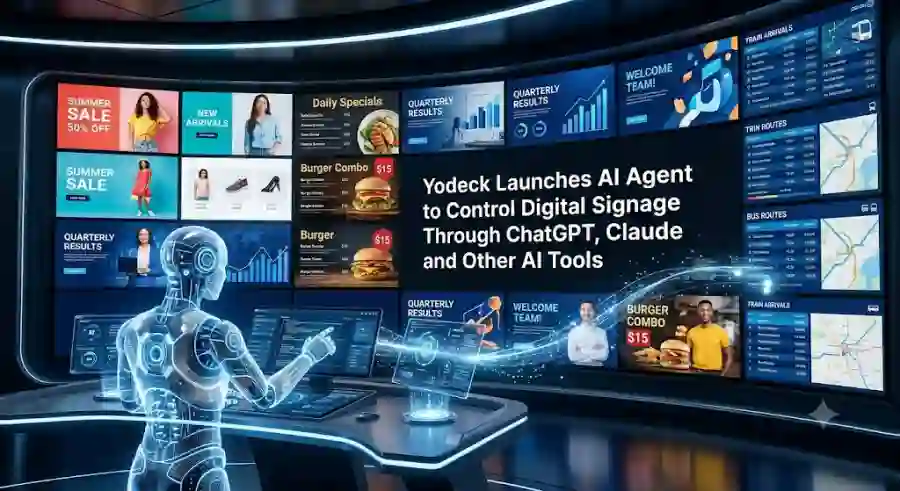
Yodeck Turns AI Assistants Into Digital Signage Operators With New MCP-Powered Agent
odeck announced the AI Agent on September 1, 2026. The company says the new system is powered by the Model Context Protocol (MCP) and works with AI assistants and development tools including ChatGPT, Claude, Cursor, VS Code, Windsurf and Claude Code CLI.
The idea is straightforward: instead of navigating through multiple digital-signage menus, users can tell an AI assistant what they want to accomplish.
For businesses managing dozens, hundreds or even thousands of screens, that could turn routine signage administration into a much faster workflow.
What Is the Yodeck AI Agent?
The Yodeck AI Agent is an AI-powered interface for managing Yodeck digital signage.
Yodeck already provides software for creating, scheduling and distributing content across digital screens. The new AI layer adds a natural-language interface on top of those functions.
Users can connect Yodeck to a supported AI tool and then issue instructions conversationally.
For example, instead of manually opening a campaign, selecting a playlist, choosing screens and configuring a schedule, a user could describe the desired outcome in one request.
Yodeck says tasks that previously required around 10 minutes can potentially be completed in about 10 seconds with the AI workflow.
How the Yodeck AI Agent Works
The technology behind the new feature is MCP, or Model Context Protocol.
MCP is an open standard designed to allow AI applications to connect with external services and tools.
In Yodeck's implementation, the MCP server connects an AI assistant to the user's Yodeck account.
After authentication, the AI system can access supported Yodeck functions according to the permissions associated with that account.
The workflow has three basic stages.
First, the user connects Yodeck to a compatible AI assistant.
Second, the user describes the desired task in natural language.
Third, the AI agent performs the supported operation and reports the result.
This removes many of the traditional clicks involved in managing a large digital-signage network.
What Can the Yodeck AI Agent Do?
Yodeck says the AI Agent can help with several everyday digital-signage tasks.
These include:
- Listing screens
- Checking screen information
- Uploading media
- Creating playlists
- Managing content
- Updating screens
- Deploying campaigns
- Managing schedules
- Finding unused media
- Checking account information
- Performing bulk management tasks
The official Yodeck AI Agent page gives campaign deployment and unused-asset discovery as examples of workflows that can be simplified through natural-language requests.
For a company with many locations, the bulk-management capability could be particularly useful.
Instead of manually opening individual screens or navigating multiple menus, an administrator can describe the required change and let the connected AI assistant handle the supported operations.
Yodeck AI Agent Supports Multiple AI Tools
One of the more interesting parts of the launch is that Yodeck is not limiting the feature to a single chatbot.
According to Yodeck, the MCP integration supports:
- ChatGPT
- Claude
- Cursor
- VS Code
- Windsurf
- Claude Code CLI
The company's documentation also explains that other AI tools supporting MCP can potentially connect to Yodeck.
This is important because MCP is increasingly becoming a common way for AI systems to interact with external applications.
Instead of building a separate AI assistant for every software platform, companies can expose capabilities through an MCP-compatible interface.
That means the same general AI workflow can potentially be used across different assistants.
Digital Signage Becomes an AI Agent Use Case
Digital signage may not be the first industry people associate with AI agents.
However, it is actually a strong example of where agentic AI can be useful.
Consider a restaurant chain with hundreds of locations.
A marketing team may need to change a promotional campaign across every screen.
Traditionally, someone has to:
- Prepare the content.
- Upload the media.
- Create or update a playlist.
- Select the required screens.
- Configure the schedule.
- Publish the campaign.
- Check whether the changes were applied.
With an AI agent, the user can describe the outcome in natural language.
The AI then interacts with the connected digital-signage platform to carry out the supported steps.
The value is not that AI creates another chatbot.
The value is that AI becomes an operational interface for an existing business system.
Yodeck Says AI Can Reduce Routine Work
Yodeck's own positioning focuses heavily on reducing repetitive administrative work.
The company says tasks that can take 10 minutes of manual navigation can sometimes be reduced to a single natural-language instruction.
This could be useful for several types of organizations.
Retail companies can update promotions across stores.
Restaurants can manage digital menus.
Corporate offices can distribute internal announcements.
Universities can update campus information.
Hotels can change guest-facing information.
Manufacturers can distribute operational or safety messages.
Because the same platform can manage large numbers of screens, the time savings can become more significant as an organization's screen network grows.
Yodeck AI Agent Uses Existing Permissions
One of the most important aspects of an AI agent connected to a business system is security.
Giving an AI unrestricted access to an account would create obvious risks.
Yodeck says its AI Agent works within the user's existing Yodeck permissions. The company also says its authentication uses OAuth 2.1 and that traffic is protected using TLS.
The system is therefore designed to operate using the access that the connected Yodeck account already has.
This is an important approach for enterprise AI integrations.
The AI agent should not automatically become more powerful simply because it is connected to a business account.
Can the Yodeck AI Agent Delete Content?
There is also an important safety restriction.
According to Yodeck, delete operations are disabled through the AI Agent.
Users can read, create and update supported content, but asset deletion must be performed directly through the Yodeck portal.
This limitation is significant because destructive actions are one of the biggest concerns with autonomous software agents.
An AI agent that can modify content is useful.
An AI agent that can permanently delete large amounts of business content without additional safeguards would create considerably more risk.
By disabling deletion through the MCP interface, Yodeck is placing a clear boundary around what the AI can do.
Yodeck MCP Is Available on Premium and Enterprise Plans
The MCP integration is not positioned as a feature for every Yodeck account.
Yodeck says MCP is included with Premium and Enterprise plans at no additional charge, subject to the account having the required access.
The company also says its digital-signage platform has more than 65,000 accounts across more than 135 countries.
That gives the AI Agent a potentially large existing customer base.
Rather than asking companies to adopt a completely new AI platform, Yodeck is adding an AI interface to an established digital-signage system.
How Users Connect Yodeck to ChatGPT
Yodeck's documentation provides a specific MCP setup process for ChatGPT.
Users need a supported ChatGPT plan, then add Yodeck as a custom connector using the Yodeck MCP server.
The connection uses OAuth authentication, meaning users sign in through Yodeck rather than handing their Yodeck password directly to the AI tool.
Once connected, users can interact with Yodeck through ChatGPT and request supported operations.
The same general concept is available for Claude and several developer-focused AI tools.
Yodeck and Claude
Claude is another major supported option.
Yodeck's setup guide explains how users can add the MCP server as a custom connector in Claude and authenticate through Yodeck.
This makes the integration especially interesting for organizations already using Claude for business workflows.
Instead of switching to another proprietary assistant, users can connect their existing AI environment to their signage platform.
Yodeck and AI Coding Tools
The integration also extends into developer tools.
Yodeck documents support for:
- Cursor
- VS Code with GitHub Copilot
- Windsurf
- Claude Code CLI
This may sound unusual for digital signage, but it reflects a larger trend in AI software development.
MCP is increasingly being used to allow AI coding environments to interact with external services.
A developer or technical administrator could therefore manage certain Yodeck operations from the same AI development environment they already use for other tasks.
Why This Launch Matters for MCP
The Yodeck announcement is interesting beyond digital signage.
It demonstrates how MCP can turn an AI assistant into an interface for specialized business software.
The user does not necessarily need to learn the entire interface of every connected platform.
Instead, the AI becomes a conversational control layer.
This could eventually apply to many industries.
An AI assistant could potentially interact with:
- CRM systems
- Marketing platforms
- Project management software
- Analytics dashboards
- Inventory systems
- IT management tools
- Customer-support platforms
- Digital-signage systems
The important shift is from AI that only provides information to AI that can actually operate connected services.
Yodeck is one example of this broader agentic software trend.
Why Businesses May Care
The biggest advantage is not simply convenience.
It is operational speed.
Digital-signage networks can contain hundreds or thousands of individual screens.
Managing them manually can create repetitive work for marketing teams, IT administrators and operations staff.
An AI interface can reduce the amount of navigation required for routine tasks.
For example, a marketing manager could ask the connected AI assistant to identify unused campaign assets.
An operations administrator could request a status overview.
A regional manager could update supported content across a group of locations.
These workflows are especially useful when the action involves many screens.
The AI agent does not replace Yodeck.
Instead, it becomes another way to interact with the platform.
Security and Data Privacy
Yodeck says only data requested by the user is retrieved by the AI agent.
The company also says tokens expire automatically and are not logged.
The documentation explains that the OAuth process gives the AI tool a temporary token rather than exposing the user's Yodeck password.
These controls are important because every AI-to-business connection creates another potential security boundary.
The more services an AI agent can access, the more important permission management becomes.
Yodeck's approach of using existing account permissions and disabling deletion provides some limits on the agent's capabilities.
The Bigger Agentic AI Trend
The Yodeck launch represents a broader change happening across the AI industry.
For years, most AI assistants were primarily information tools.
Users asked questions.
The AI generated answers.
Now AI systems are increasingly becoming action-oriented.
They can interact with software, call APIs, manipulate files, execute workflows and operate external services.
MCP is helping make that transition easier by providing a standardized way for AI applications to connect with tools.
Yodeck's AI Agent shows what this can look like in a specialized business application.
Instead of building a general-purpose AI platform, the company is connecting an existing service to the AI systems customers already use.
What Happens Next?
The most interesting question is where this approach goes next.
Yodeck already supports a growing set of AI environments, while its MCP architecture potentially allows other compatible AI tools to connect.
As AI agents become more capable, users may expect more business applications to support this type of interaction.
That could eventually change how people use enterprise software.
Instead of learning where every button is located, users may simply describe the outcome they want.
The software remains underneath.
The AI becomes the interface.
Yodeck's new AI Agent is a strong example of how AI agents are moving from conversation into real-world software operations.
Launched on September 1, 2026, the MCP-powered system connects Yodeck with AI tools including ChatGPT, Claude, Cursor, VS Code, Windsurf and Claude Code CLI.
Users can use natural-language requests to manage supported digital-signage tasks such as screens, media, playlists and campaign workflows.
The integration is designed around existing permissions, OAuth 2.1 authentication and other security controls, while destructive deletion operations remain disabled through the AI interface.
For Yodeck customers, the immediate benefit is faster digital-signage management.
For the wider AI industry, however, the more important story is MCP.
The launch shows how AI assistants are increasingly becoming operational layers that can connect directly to specialized business software.
That is a significant step toward a future where asking an AI to complete a task can be more important than manually navigating the application that performs it.
FAQs
What is the Yodeck AI Agent?
The Yodeck AI Agent is an MCP-powered system that lets users manage supported Yodeck digital-signage operations through natural-language instructions in compatible AI tools.
Which AI tools work with Yodeck AI Agent?
Yodeck officially documents support for ChatGPT, Claude, Cursor, VS Code, Windsurf and Claude Code CLI. The company says MCP-compatible AI tools can also potentially connect.