How Lemonade.gg Makes Roblox Game Development Easier
Roblox has become one of the biggest gaming platforms in the world, with millions of players exploring user-created experiences every day. While the platform offers endless opportunities for developers, creating a quality game has traditionally required learning Luau, Roblox's scripting language, along with understanding game mechanics, UI systems, and debugging.
For many beginners, that learning curve can feel overwhelming.
That's where Lemonade.gg comes in.
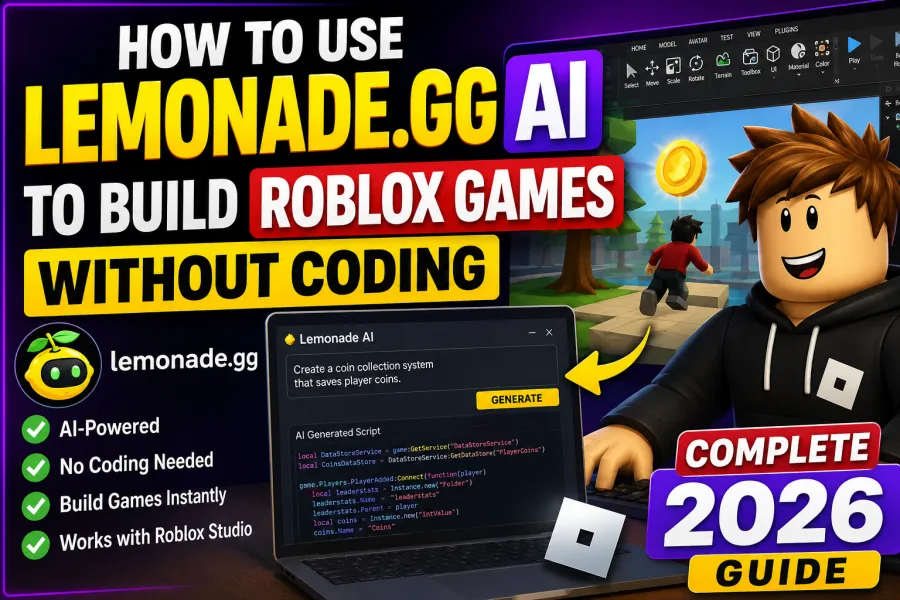
Lemonade.gg is an AI-powered coding assistant designed specifically for Roblox developers. Instead of spending hours writing scripts manually, you simply describe what you want in plain English, and the AI generates working Luau code for your Roblox Studio project.
Whether you're creating your first Obby, a simulator, a roleplay game, or even a competitive battle arena, Lemonade.gg can dramatically speed up your development process.
In this complete guide, you'll learn how Lemonade.gg works, how to install it, its best features, practical tips, advantages, limitations, and why it's becoming one of the most talked-about AI tools among Roblox creators.
What is Lemonade.gg?
Lemonade.gg is an AI coding platform built by Lemonade Labs specifically for Roblox game development.
Unlike general-purpose AI chatbots, Lemonade.gg understands Roblox Studio, Luau scripting, object hierarchies, game mechanics, and common development workflows.
Instead of writing code manually, you can simply type commands like:
Create a leaderboard that saves player coins.
or
Build a teleport pad that moves players to another map.
Within seconds, Lemonade.gg generates functional Luau scripts that you can directly use inside Roblox Studio.
Its biggest advantage is helping creators spend less time coding and more time designing fun gameplay.
Why Lemonade.gg is Trending in 2026
More than half a million Roblox creators are already using Lemonade.gg because it significantly reduces development time.
Some of its standout features include:
AI Text-to-Code Generation
Simply explain your idea using natural language.
For example:
- Create a shop system
- Build a pet inventory
- Add a daily rewards system
- Generate combat mechanics
- Create NPC dialogue
The AI converts your instructions into usable Luau scripts.
Roblox Studio Integration
Lemonade.gg works directly alongside Roblox Studio through its dedicated plugin.
This means you don't have to switch between multiple tools constantly. You can generate, edit, and insert scripts without interrupting your workflow.
Supports Complex Game Systems
The platform can help create:
- Simulator mechanics
- Obby checkpoints
- Tycoon systems
- Leaderboards
- Inventory management
- Save Data Stores
- Combat systems
- GUI interfaces
- NPC interactions
- Quest systems
Perfect for Beginners
Many aspiring developers have fantastic game ideas but little or no programming experience.
Lemonade.gg removes that barrier by translating plain English into functional Roblox code, making game development much more accessible.
How to Install Lemonade.gg in Roblox Studio
Setting up Lemonade.gg only takes a few minutes.
Step 1: Create an Account
Visit the official Lemonade.gg website.
Click Start Building and sign in using your Roblox account.
This links your developer profile with the platform.
Step 2: Install the Roblox Plugin
Open the Roblox Creator Marketplace and search for the official Lemonade AI plugin.
Click Get Plugin and install it.
Step 3: Open Roblox Studio
Launch Roblox Studio.
Open either:
- A new project
- An existing game
Navigate to the Plugins tab where you'll find Lemonade AI.
Step 4: Start Generating Scripts
Open the Lemonade interface.
Describe exactly what you want.
Example:
"Create a coin collection system that saves player progress after leaving the game."
Click Generate.
The AI will create the necessary Luau scripts ready for implementation.
Writing Better AI Prompts
Like any AI tool, better prompts produce better results.
Be Very Specific
Instead of saying:
Make a speed pad.
Try:
Create a Part named SpeedPad that increases WalkSpeed to 32 for five seconds and changes its color to Bright Blue when touched.
The more details you provide, the better the generated code.
Build Features One at a Time
Avoid asking the AI to create an entire game in one prompt.
Instead, divide the project into smaller tasks.
For example:
- Player leaderboard
- Currency system
- Shop GUI
- Save Data
- Enemy AI
- Teleport system
This improves both code quality and debugging.
Organize Your Project
Keep folders structured inside Roblox Studio.
Store scripts in their proper locations such as:
- ServerScriptService
- ReplicatedStorage
- StarterPlayerScripts
A clean project helps both you and the AI understand where scripts belong.
Pros and Cons of Lemonade.gg
| Pros | Cons |
|---|---|
| Great for beginners | Free version has daily usage limits |
| Saves hours of scripting | Complex systems may still require manual editing |
| Generates clean Luau code | AI can occasionally misunderstand vague prompts |
| Excellent learning tool | Some generated scripts need optimization |
| Speeds up prototyping | Requires internet connection |
Who Should Use Lemonade.gg?
Lemonade.gg is ideal for:
- Beginner Roblox developers
- Students learning Luau
- Solo game creators
- Indie developers
- YouTubers making Roblox tutorials
- Developers building prototypes quickly
Even experienced developers use it to automate repetitive coding tasks.
Can You Build a Complete Roblox Game Using AI?
Yes—but with realistic expectations.
Lemonade.gg can generate a large portion of your game's code, including mechanics, systems, and scripts. However, you'll still need to:
- Design maps
- Create or import models
- Test gameplay
- Fix bugs
- Balance mechanics
- Optimize performance
Think of Lemonade.gg as an AI co-developer rather than a replacement for creativity.
Lemonade.gg is one of the most exciting AI tools available for Roblox creators in 2026. By allowing developers to generate Luau scripts using simple text prompts, it dramatically lowers the barrier to game development and helps creators turn ideas into playable experiences much faster.
Whether you're a complete beginner or an experienced Roblox developer looking to speed up repetitive tasks, Lemonade.gg offers a practical way to improve productivity. While complex systems may still require manual refinement, the platform excels at rapid prototyping, learning Luau syntax, and building common game mechanics with minimal effort.
If you've been waiting for an easier way to create Roblox games, Lemonade.gg is well worth exploring.
Frequently Asked Questions (FAQs)
Is Lemonade.gg free?
Yes. Lemonade.gg offers a free tier with limited daily generations, while paid plans unlock additional AI requests and advanced features.
Do I need coding experience to use Lemonade.gg?
No. Beginners can create Roblox scripts using plain English prompts, although learning basic Luau concepts will help you customize AI-generated code.
Can Lemonade.gg build an entire Roblox game?
It can generate many core systems and mechanics, but you'll still need to handle game design, testing, balancing, and optimization.
Does Lemonade.gg work inside Roblox Studio?
Yes. It integrates through an official Roblox Studio plugin, allowing you to generate and insert scripts directly into your projects.
Is Lemonade.gg suitable for experienced developers?
Absolutely. Experienced developers often use it to speed up repetitive coding tasks, prototype new ideas, and automate common game systems.