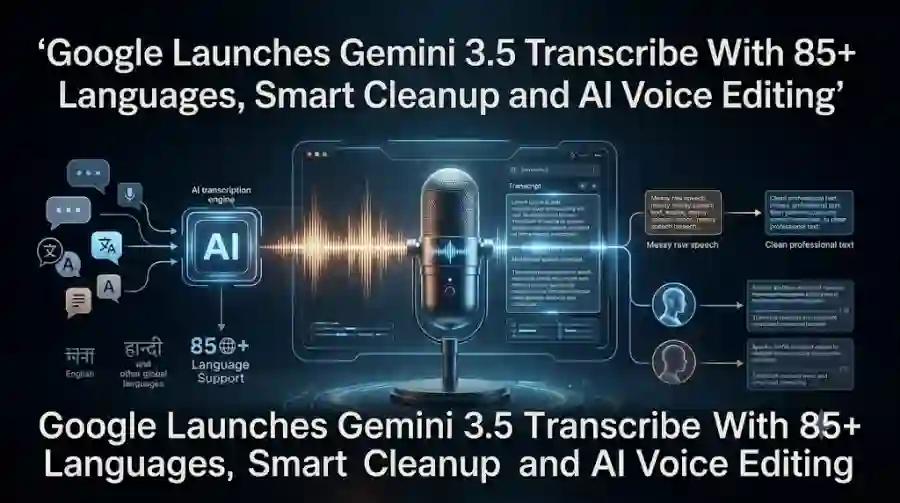
Gemini 3.5 Transcribe Turns Raw Speech Into Clean, Formatted Text With Google AI
Google says the model is designed for intelligent voice interactions and is already being used across some of its products, including voice features on Android and the Gemini app for macOS. Developers can also access the model through Google AI Studio and the Gemini API.
The release gives Google a stronger position in the rapidly growing AI transcription market, where businesses, developers, creators and professionals increasingly need more than basic speech recognition.
What Is Gemini 3.5 Transcribe?
Gemini 3.5 Transcribe is a dedicated Google AI model for converting speech into text.
Unlike a traditional transcription system that attempts to reproduce every spoken word exactly as it sounds, the model includes what Google calls smart transcription.
This means it can understand parts of natural speech that normally make transcripts messy.
For example, people frequently say things such as:
“Let's meet Tuesday — actually, no, Wednesday.”
A conventional transcript might preserve the entire sentence.
Gemini 3.5 Transcribe can understand the correction and produce a cleaner version centered on Wednesday. It can also remove conversational filler such as “um,” “uh” and similar disfluencies when smart transcription is enabled.
This makes the technology more useful for situations where the final transcript needs to be readable rather than simply verbatim.
Gemini 3.5 Transcribe Supports More Than 85 Languages
Language support is one of the biggest features of the new model.
Google says Gemini 3.5 Transcribe can automatically detect and transcribe more than 85 languages.
It can also handle multilingual conversations where speakers switch between languages during a conversation.
The supported language list includes major languages such as:
- English
- Hindi
- Bengali
- Gujarati
- Marathi
- Punjabi
- Tamil
- Telugu
- Malayalam
- Kannada
- Spanish
- French
- German
- Italian
- Portuguese
- Japanese
- Korean
- Arabic
- Russian
The model also includes Indian English and English (India) among its supported language variants.
For Indian users and developers, that makes Gemini 3.5 Transcribe particularly interesting.
An AI transcription system that can handle Hindi, English and multilingual conversations could be useful for meetings, interviews, customer calls, education and content creation.
Smart Transcription Cleans Up Messy Speech
The most interesting part of Gemini 3.5 Transcribe is arguably its ability to produce more polished text.
Google describes this as smart transcription.
It can remove:
- Filler words
- Stuttering
- Repetitions
- False starts
- Unnecessary speech corrections
It can also apply punctuation, capitalization and structured formatting automatically.
That changes how transcription can be used.
A basic speech-to-text model gives you raw text that may require substantial editing.
Gemini 3.5 Transcribe attempts to give you something closer to a finished document.
For someone recording an interview, lecture or meeting, this could reduce the amount of manual cleanup required after recording.
It Understands Self-Corrections
Human speech is rarely perfectly structured.
People change their minds while talking.
For example:
“Send the report on Friday — actually, make that Thursday.”
A basic transcription model may include both Friday and Thursday.
Gemini's smart transcription is designed to understand that the second statement corrects the first.
The result can therefore be cleaner and more representative of the speaker's actual intention.
This is one reason Google describes the model as being designed for intelligent voice interactions, rather than simply conventional speech recognition.
Custom Vocabulary Helps With Technical Terms
Another important capability is custom vocabulary.
Speech recognition systems often struggle with unusual names, acronyms, product names and industry-specific terminology.
For example, a developer might discuss:
- API names
- Programming frameworks
- Database technologies
- Internal product names
- Technical abbreviations
A medical professional could have a completely different set of specialized terms.
Gemini 3.5 Transcribe allows developers to provide custom vocabulary so the model can better recognize domain-specific terms.
Google's developer documentation says custom vocabulary can contain up to 1,000 phrases, although Google notes that users typically get the best results with smaller sets.
This could make the model more practical for enterprise applications.
Speaker Identification Makes Meetings Easier to Process
Gemini 3.5 Transcribe also supports speaker diarization for recorded audio.
This means the system can distinguish different speakers and attribute sections of the transcript to them.
The current Gemini API documentation says recorded-audio transcription can identify up to eight speakers, while attribution for more than three speakers is described as experimental.
This can be useful for:
- Business meetings
- Interviews
- Podcasts
- Customer calls
- Research interviews
- Group discussions
- Classroom recordings
Instead of receiving one large block of text, developers can build systems that associate sections of the transcript with individual speakers.
Word-Level Timestamps Add Another Layer
For recorded audio, Gemini 3.5 Transcribe can also generate word-level timestamps.
This means developers can know approximately when individual words occur in the recording.
That feature can be valuable for video and audio applications.
For example, a video editor could use timestamps to locate a specific phrase.
A podcast application could potentially create searchable transcripts linked to playback positions.
A meeting application could allow users to jump directly to the section where a particular topic was discussed.
Gemini 3.5 Transcribe Has Separate Live and Recorded Modes
Google's developer documentation distinguishes between the standard transcription model and the live transcription model.
The recorded-audio version is designed for processing audio files.
The live version is designed for low-latency streaming transcription through the Gemini Live API.
The two approaches have different capabilities.
For recorded audio, developers can use features such as:
- Speaker diarization
- Word-level timestamps
- Smart transcription
- Custom vocabulary
For live transcription, Google focuses on low-latency speech recognition and streaming use cases.
The documentation lists a maximum live session duration of 10 minutes per session, while audio-file processing can handle longer recordings, with some feature combinations imposing shorter limits.
What Can Developers Build With Gemini 3.5 Transcribe?
Google is positioning the model as a building block for voice applications.
Developers can use it for applications such as:
Voice Agents
AI agents need to understand what users say before they can respond.
Gemini 3.5 Transcribe can provide the speech-to-text layer for voice-based agents.
Meeting Transcription
Businesses can build systems that record conversations, identify speakers and produce structured transcripts.
Call Analytics
Companies can process customer calls and extract useful information from conversations.
Real-Time Captions
The live transcription model can be used as part of captioning systems.
Podcast Transcription
Creators can turn recorded episodes into searchable text.
Interview Processing
Journalists and researchers can use speaker identification and timestamps to organize recorded interviews.
Voice-Controlled Applications
Developers can combine speech recognition with other AI systems to build applications controlled through natural language.
Google specifically highlights voice agents, real-time captioning and post-call analytics as potential applications for Gemini 3.5 Transcribe.
Gemini 3.5 Transcribe Is Already Used in Google Products
The model is not only a developer API.
Google says Gemini 3.5 Transcribe is already being used in consumer-facing voice experiences.
One example is Rambler, a voice-dictation feature on Android.
The model is also being used in the Gemini app on macOS.
Google says the technology is also coming to additional products, including Chrome.
That could eventually make Google's voice input more useful for people who prefer speaking over typing.
How Gemini 3.5 Transcribe Differs From Basic Speech-to-Text
Traditional speech recognition generally follows a straightforward process:
Speech → Text
Gemini 3.5 Transcribe is designed around a more advanced pipeline:
Speech → Understanding → Cleanup → Structured Text
That difference is important.
A raw transcript can be accurate but still difficult to read.
For example:
“uh so basically what I wanted to say is um we need to finish the project by Friday actually no by Thursday because the client moved the meeting”
A smart transcription system can turn this into a much cleaner statement.
The purpose is not simply to reproduce every sound.
It is to capture the intended information in a useful format.
Gemini 3.5 Transcribe Can Normalize Numbers and Formatting
Google's documentation also describes automatic formatting and normalization.
The system can apply punctuation, capitalization and structured representations for things such as dates, currencies and numbers.
This matters for professional applications.
Instead of receiving:
“twenty six million dollars”
a system can potentially format the information as:
$26M
That makes the resulting transcript easier to process and integrate into downstream software.
Is Gemini 3.5 Transcribe Available to Developers?
Yes.
Google has made Gemini 3.5 Transcribe available through its developer ecosystem.
Developers can access the model through Google AI Studio and the Gemini API, while Google Cloud also provides documentation for the Gemini Enterprise Agent Platform.
The API documentation identifies the recorded-audio model as:
gemini-3.5-transcribe
and the live version as:
gemini-3.5-transcribe-live
Both are listed as August 2026 releases.
Developers should check Google's current API documentation before deploying the model because preview capabilities and pricing can change.
Is Gemini 3.5 Transcribe Free?
Google provides the model through its API rather than presenting it as a completely unlimited free transcription service.
Developers should therefore check the current Gemini API pricing page for the latest rates and quotas before using it in production.
The important point is that the model is available as an API for developers rather than being limited to a consumer-facing transcription application.
This makes it possible for businesses and independent developers to build their own AI-powered transcription products.
Why Gemini 3.5 Transcribe Matters
Speech recognition is already a mature AI category.
The bigger change is that transcription is becoming more intelligent.
Users increasingly expect AI systems to understand what they meant rather than simply reproduce everything they said.
That includes:
- Understanding corrections
- Removing filler speech
- Recognizing technical terminology
- Detecting languages automatically
- Separating speakers
- Formatting information
- Adding timestamps
- Handling multilingual conversations
Gemini 3.5 Transcribe brings many of these capabilities together in a single model.
What It Means for AI Voice Agents
The timing of the release is also important.
AI agents are increasingly moving from text interfaces toward voice.
A voice agent needs several components:
Speech recognition
Reasoning
Tool use
Response generation
Text-to-speech
Gemini 3.5 Transcribe focuses on the first stage.
Better transcription can improve the entire experience because an AI agent cannot reliably respond to information that it misunderstood at the beginning.
The ability to recognize jargon, distinguish speakers and handle natural corrections could therefore be useful for more advanced voice-agent systems.
Potential Impact on Content Creators
Creators are another major audience.
YouTubers, podcasters, journalists and educators regularly need transcripts.
The traditional workflow can involve:
- Record audio
- Generate transcript
- Correct errors
- Remove filler words
- Format paragraphs
- Identify speakers
- Add timestamps
- Edit the final content
A more intelligent transcription model can automate several of these steps.
That could reduce the time needed to turn recordings into articles, captions, show notes and searchable archives.
Potential Impact in India
Gemini 3.5 Transcribe could also have meaningful applications in India because of its multilingual support.
India's digital ecosystem frequently involves conversations where people switch between English and regional languages.
The model's support for Hindi and multiple Indian languages, along with code-switching capabilities, could make it useful for:
- Indian-language podcasts
- Education platforms
- Customer support
- Interviews
- Government services
- Business meetings
- Regional content creation
- Voice-based applications
The presence of Indian English and multiple Indic-language options is particularly relevant for developers targeting Indian users.
Gemini 3.5 Transcribe is more than another speech-to-text model.
Google is trying to make transcription understand the way people actually speak.
The model can automatically detect more than 85 languages, handle multilingual conversations, clean up filler words, understand self-corrections, apply formatting, recognize custom vocabulary and identify speakers in recorded audio.
For developers, the model is available through Google's AI development platforms, with separate endpoints for recorded and live transcription.
Its biggest opportunity may be voice AI.
As AI agents move toward natural voice interactions, accurate and context-aware speech recognition becomes increasingly important.
Gemini 3.5 Transcribe gives developers a new foundation for building voice agents, meeting tools, captioning systems, transcription platforms and other applications that need to turn messy human speech into useful information.
The more important shift is that AI transcription is moving from “write down what I said” toward “understand what I meant and turn it into useful text.”
FAQs
What is Gemini 3.5 Transcribe?
Gemini 3.5 Transcribe is Google's AI speech-to-text model designed to convert audio into accurate, structured text while supporting features such as smart transcription, language detection, speaker identification and custom vocabulary.
How many languages does Gemini 3.5 Transcribe support?
Google says the model automatically detects and transcribes more than 85 languages and can handle multilingual conversations and code-switching.