By 2026, smartphones have hit what many people call “peak parity.” My iPhone 17—with its nearly invisible bezels and lightning-fast A19 chip—is undeniably impressive. It’s powerful, beautiful, and polished. It’s also, like most modern flagships, a smooth slab of glass designed to do everything at once.
So last Monday, I did something that felt almost rebellious: I turned off my iPhone, removed the SIM card, and put it into the Clicks Communicator.
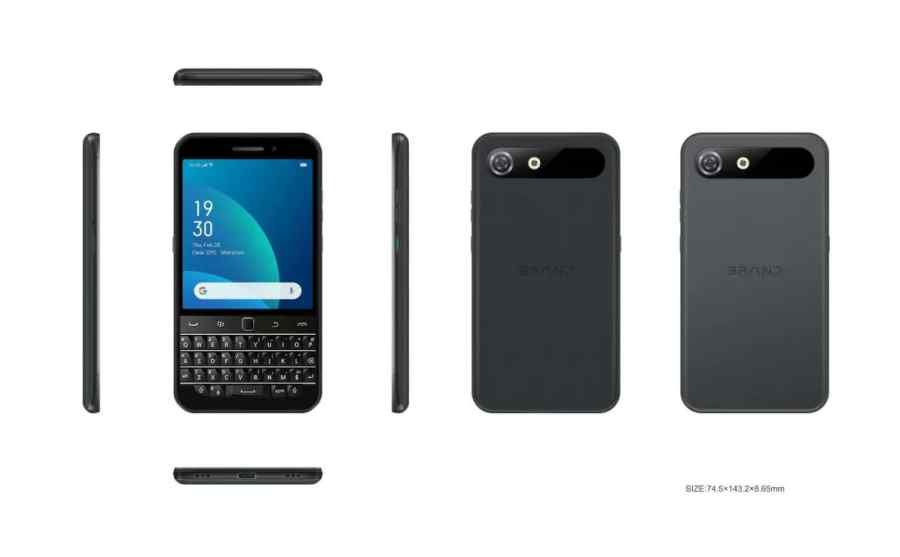
Unveiled just days earlier at the start of the year, the Clicks Communicator isn’t a case or an accessory. It’s a standalone 5G smartphone that looks like a modern tribute to the BlackBerry era. For seven days, I committed to a two-phone lifestyle, using this compact, QWERTY-equipped device as my main way to communicate.
What followed surprised me. It challenged my habits, reduced my doomscrolling, and reminded me that sometimes moving forward means borrowing ideas from the past.
Day One: The Weight of Nostalgia
The first thing you notice about the Clicks Communicator is its shape. It’s tall, narrow, and unapologetically different. A 4.03-inch AMOLED display sits above a full physical keyboard, creating a silhouette that feels intentional rather than flashy.
Unlike the snap-on Clicks cases from 2024, this is a refined all-in-one device. The brushed aluminum side keys and “Fastback” design make it feel well-balanced and comfortable in the hand.
Switching from the iPhone 17’s 6.3-inch display felt like trading a penthouse apartment for a tidy, thoughtfully designed studio. Smaller—but calmer.
The interface, built in collaboration with the Niagara Launcher team, reinforces that feeling. There’s no grid of colorful icons competing for attention. Instead, you get a clean, vertical list. Messages come first. Apps are neatly tucked away. For the first time in years, my phone felt like a tool, not a billboard of notifications.
The Learning Curve: Muscle Memory Lies
I’ll be honest—my thumbs panicked.
After years of typing on glass, the ErgoSurf sculpted keys felt strange at first. My typing speed dropped sharply. I kept waiting for an on-screen keyboard to appear, even though one never would.
But by Tuesday afternoon, something clicked—literally. Physical keys have weight. When you press a letter, you know it registered. There’s no need to double-check the screen.
By the end of day two, I was writing emails confidently, with a rhythm I hadn’t felt since the BlackBerry Bold days. Even better, the keyboard doubles as a touch-sensitive trackpad, letting me scroll through messages just by swiping across the keys. It felt unexpectedly natural—and a little magical.
A Surprising Cure for Doomscrolling
We talk a lot about digital detoxes, but rarely about form-factor detoxes.
The iPhone 17, with its large ProMotion display, is built for consumption. It invites endless video, games, and scrolling. The Clicks Communicator does the opposite. Its compact screen makes Instagram feel cramped and Netflix almost irrelevant.
After three days, I noticed a real behavioral shift. I stopped pulling out my phone just to fill empty moments. If I didn’t need to send a message or complete a task, the phone stayed in my pocket.
The Signal LED on the side reinforced this change. It lights up in different colors for specific contacts, so I could tell whether a message was important without even turning on the screen.
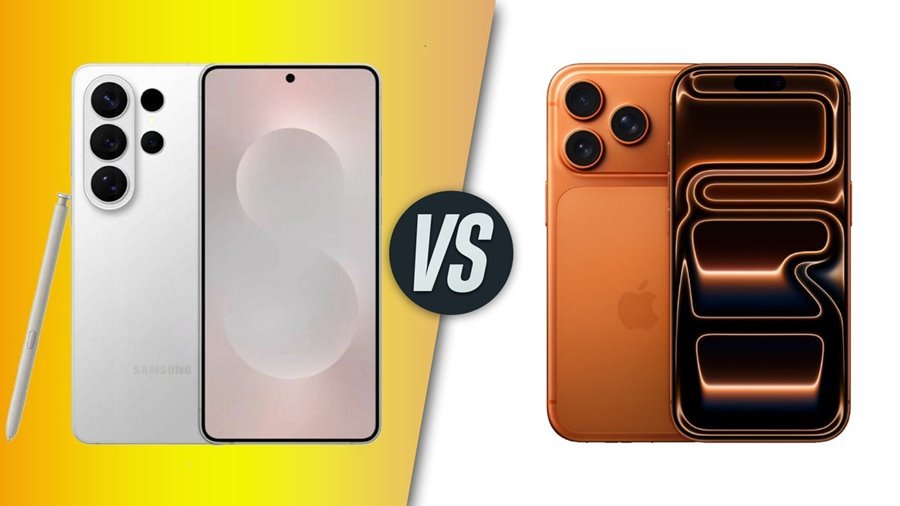
iPhone 17 vs Clicks Communicator: Key Differences at a Glance
Display
- The iPhone 17 features a large 6.3-inch Super Retina XDR display with smooth 120Hz refresh rate, while the Clicks Communicator uses a smaller 4.03-inch AMOLED screen capped at 60Hz for a more focused experience.
Input Method
- Apple relies on a full touchscreen and Siri voice controls. The Clicks Communicator takes a different approach with a physical QWERTY keyboard that also works as a touch-sensitive trackpad.
Camera
- The iPhone 17 offers a 48MP Dual Fusion camera system designed for pro-level photography. The Clicks Communicator includes a capable 50MP main camera with optical image stabilization.
Software Experience
- iPhone 17 runs iOS 19, packed with Apple Intelligence and AI-driven features. The Clicks Communicator runs Android 16 with a minimalist Niagara interface focused on speed and simplicity.
Storage Options
- Apple provides fixed storage options ranging from 256GB to 512GB. The Clicks Communicator comes with 256GB built in and supports microSD expansion up to 2TB.
Extra Features
- The iPhone 17 highlights features like Dynamic Island and Apple Intelligence, while the Clicks Communicator stands out with a 3.5mm headphone jack and a dedicated kill switch.
The Reality of the Two-Phone Life
The week wasn’t perfect.
Without the iPhone 17, I missed its exceptional camera system. While the Clicks Communicator’s 50MP camera is solid for everyday shots, it can’t match the cinematic depth and low-light magic powered by Apple’s A19 chip.
There was also social friction. At dinner, the device became an instant conversation starter. “Is that a BlackBerry?” someone asked. Another wondered why it was so small. In 2026, a physical keyboard feels like tech art.
Still, there were compromises. I couldn’t easily join AirDrop photo sharing, though the Communicator does support RCS for high-quality messaging.
Final Verdict: Why Buttons Still Matter
This week proved something important: modern smartphones have become excellent at everything, but not always great at what matters most—communication.
The Clicks Communicator brings back focus, intention, and a bit of joy through physical interaction. It doesn’t demand your full attention every minute of the day.
I won’t abandon my iPhone completely. But the Clicks Communicator has earned a permanent place in my bag. In a world made of glass, sometimes you really do need to feel the buttons.