The BlackBerry Bold 9900 was once the crown jewel of productivity smartphones, loved for its physical QWERTY keyboard, durable design, and secure platform. Even today, in 2025, many people hold on to this iconic device. But one question still lingers among loyal users:
Can you download or use WhatsApp on the BlackBerry Bold 9900 in 2025?
Let’s dive into the reality, possible workarounds, and what options—if any—are left.
WhatsApp Support for BlackBerry Bold 9900 and Other older Officially Ended
The BlackBerry Bold 9900 runs on BlackBerry OS 7, which is no longer supported by WhatsApp. In fact, WhatsApp officially discontinued support for BlackBerry OS devices in December 2017.
That means:
-
You cannot find WhatsApp in the old BlackBerry World app store.
-
Any previously installed versions stopped working years ago.
-
There are no new updates or security patches for the app.
So, if you were hoping to download WhatsApp directly to the Bold 9900 in 2025, the harsh truth is—it’s not possible.
Are There Any Workarounds?
Unfortunately, unlike BlackBerry 10 devices (such as the Passport or Classic) that could run limited Android apps or WhatsApp Web, the BlackBerry Bold 9900 has no such option.
Here’s why:
- No Android Compatibility: The Bold 9900 cannot run Android-based apps.
- No WhatsApp Web Support: The browser is too outdated to open WhatsApp Web or scan QR codes.
- Defunct Community Projects: Earlier, some enthusiasts tried building unofficial WhatsApp clients, but these have all stopped working due to WhatsApp API changes.
Cold Truth: For the Bold 9900, there is no official or unofficial way to run WhatsApp in 2025.
Risks of Searching for Old Versions
You may find websites claiming to offer “WhatsApp APK for BlackBerry Bold 9900.” Be cautious—these are often fake, unsafe, or malware-infected files. Installing them could:
- Expose your personal data
- Damage your device
- Compromise your security
The Best Alternatives in 2025
If you love your Bold 9900 for its keyboard and design but still need WhatsApp, here are your options:
-
Use a Modern Smartphone for WhatsApp – Keep the Bold 9900 as a secondary phone for calls, texts, or nostalgia, but rely on an Android/iOS device for WhatsApp.
-
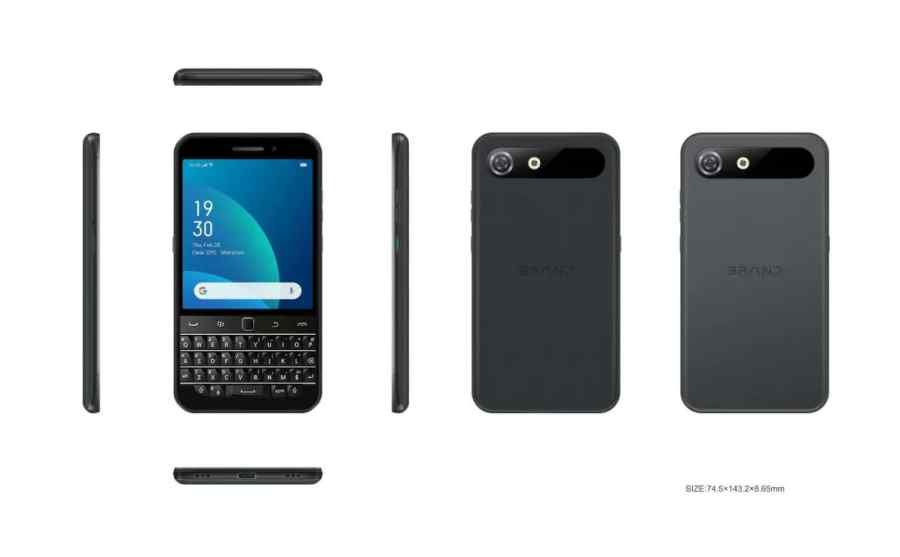
Explore Modern “Keyboard Phones” – Devices like the Unihertz Titan or newer retro-inspired smartphones bring back the BlackBerry-style physical keyboard while supporting modern apps, including WhatsApp.
-
Keep the Bold 9900 as a Collectible – Instead of forcing it into today’s ecosystem, preserve it as a piece of tech history.
In 2025, the BlackBerry Bold 9900 cannot run WhatsApp, no matter the method. The operating system is outdated, and all official/unofficial support has ended.
For communication, the best solution is to use WhatsApp on a modern smartphone while keeping your Bold 9900 as a cherished reminder of the golden BlackBerry era.
It’s not the answer die-hard fans want, but it’s the reality—the Bold 9900 belongs to nostalgia, not modern apps.