How Developers Can Prepare Their Games for the Big Screen
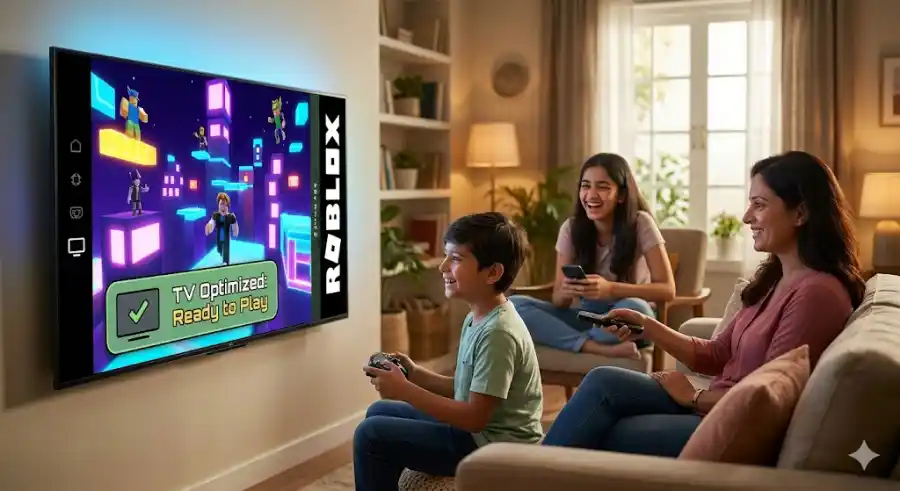
Roblox is getting ready for a huge change in May 2026. The platform is officially launching on selected Smart TVs, especially devices using Android TV and Google TV. This update could completely change how people play Roblox at home.
For players, it means they can now sit on the couch and enjoy Roblox on a large TV screen with friends or family. But for developers, this launch also brings new challenges. Smart TVs are not built like gaming PCs or modern consoles. Most TVs have weaker processors, lower memory, and slower performance. Many users may also try to play using only a TV remote instead of a controller.
Because of this, Roblox developers need to optimize their games carefully if they want players to enjoy a smooth experience on Smart TVs. A game that works perfectly on PC or mobile may struggle badly on TV hardware if it is not optimized properly.
Here are the most important things developers should focus on before the Smart TV rollout becomes popular.
Make Your Game Easy to Play With a TV Remote
One of the biggest problems with Smart TV gaming is navigation. On phones and PCs, players can tap or click anywhere quickly. On TVs, users move through menus using arrow buttons on a remote.
That means your game UI must support D-pad navigation properly.
Players should always know which button or menu item is currently selected. Add clear highlights, borders, or glowing effects around selected buttons. Roblox developers can use GuiService.SelectedObject to help manage this system.
Simple menus are also very important. If players need to press the right arrow ten times just to reach the play button, many people will quit the game quickly. Keep menus clean, direct, and easy to navigate.
You should also understand that remote-only gameplay is difficult for many action games. Fighting games, shooters, or fast parkour experiences may feel frustrating with just a TV remote. If your game works better with a controller, gently recommend connecting one.
Using UserInputService, your game can detect if a controller is connected and show a friendly message suggesting a better setup for the best experience.
Focus on Memory Optimization
The biggest challenge for Smart TVs is limited hardware power.
Many Android TVs only have around 1.5GB to 2GB of RAM available. Even expensive 4K TVs often have much weaker hardware compared to gaming devices. Since the TV operating system already uses part of the memory, Roblox games must stay lightweight.
If your game uses too much memory, players may experience crashes, freezing, or heavy lag.
One of the most important settings developers should enable is StreamingEnabled.
This feature loads only the parts of the map near the player instead of loading the entire world at once. Large maps without streaming can easily cause memory issues on Smart TVs. For open-world games, this setting is almost required now.
Texture optimization is also very important. Large textures may look great on powerful PCs, but they waste memory on TVs. Since TVs naturally upscale images well, developers can safely reduce texture sizes without making the game look terrible.
Keeping most textures around 512x512 is usually enough for Smart TV performance.
Terrain optimization matters too. Many developers forget that underground terrain still uses memory even if players never see it. Removing unnecessary terrain and hollowing out mountains or hidden areas can lower memory usage significantly.
Every bit of saved memory helps lower-end devices run smoother.
Improve UI for Big Screens
Designing for a TV is very different from designing for mobile or PC.
Players sit farther away from the screen when using a TV. Something that looks perfectly readable on a laptop may look tiny and impossible to read from a couch.
This is why developers should follow the “10-foot UI” rule. Your interface should remain clear and readable even from several feet away.
Text should be larger and bolder than normal mobile UI. Small fonts are one of the fastest ways to frustrate TV users.
Buttons should also be bigger and easier to select. Tiny icons may look stylish, but they are hard to use on televisions.
Another important thing is screen safety zones. Some TVs still slightly crop the edges of the screen, a problem called overscan. If important information is placed too close to the edges, players might not see it completely.
Health bars, inventories, minimaps, and menu buttons should stay safely inside the screen area.
Color contrast also matters more on TVs. Different TV models display colors differently depending on settings like “Cinema Mode” or “Vivid Mode.” Using strong contrast between text and backgrounds helps everything stay readable.
Optimize Scripts for Better Performance
Heavy scripts that run fine on PCs can become a major problem on Smart TVs.
Poor scripting can create frame drops, lag, and stuttering gameplay. Developers should try to make scripts as efficient as possible.
Instead of using wait(), developers should switch to task.wait(). It is more modern and works better with Roblox’s scheduler system.
Too many RunService.Heartbeat connections can also hurt performance. Some games run hundreds of scripts every frame, which becomes too much for weaker processors.
A better solution is combining systems into fewer master scripts whenever possible. Managing multiple objects from one script is usually lighter than running many separate scripts.
Developers should also balance client-side and server-side processing carefully.
Important game logic should stay on the server for stability and security. But visual actions like animations, effects, and door movements should happen on the client side to reduce input delay and make gameplay feel smoother.
Test Your Game Before Launch
You do not need an expensive Smart TV to start testing your Roblox game.
Roblox Studio already includes useful tools for testing different devices.
Using the Device Emulator, developers can test how their game looks in 1080p or 4K resolutions. You should also connect a controller and try navigating your entire game without using a mouse.
If something feels annoying during testing, TV users will probably dislike it too.
Developers should also simulate lower memory conditions to find lag spikes and performance problems early. Testing now can prevent negative reviews after launch.
Why This Smart TV Launch Matters
Roblox coming to Smart TVs is a very important step for the platform’s future.
This move is clearly aimed at family and casual living-room gaming. Instead of every player needing their own phone, tablet, or console, groups of friends or siblings can now play together on one big screen.
Games like Adopt Me! and DOORS could become even more popular in family spaces because they are easy to enjoy together.
For developers, this is a chance to reach millions of new players. But success will depend on preparation. Games that run smoothly, support controllers properly, and have TV-friendly UI designs will stand out immediately.