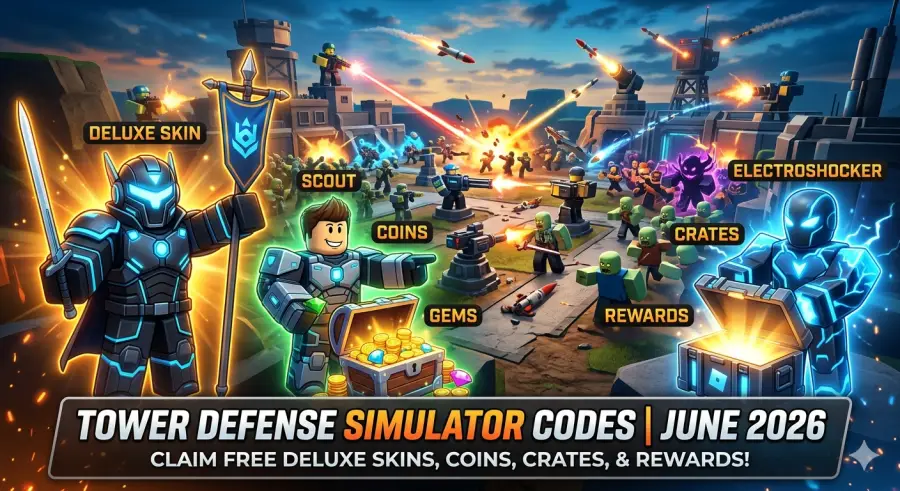
Unlock Free Rewards, Deluxe Crates, Coins, and Special Event Bonuses in Roblox Tower Defense Simulator
Fortunately, Paradoxum Games regularly releases promotional codes that reward players with free items, celebration rewards, crates, and other valuable bonuses. These limited-time codes can significantly reduce the grind while helping players expand their inventory.
Main Highlights
What You'll Find in This Guide
- All active Tower Defense Simulator codes
- Free rewards including Crates and special bonuses
- Complete code redemption walkthrough
- Expired code archive
- Common code troubleshooting solutions
- Best methods for earning Deluxe Skins
- Coin farming strategies for faster progression
- Expert insights into future code releases
Active Tower Defense Simulator Codes (June 2026)
Players should redeem these codes as soon as possible because TDS promotional rewards often have limited availability. Many event-based rewards disappear within days after release.
Currently Working TDS Codes
| Code | Reward | Status |
|---|---|---|
| Easter2026 | Free Surprise Boosts & Rewards | Active |
| Conan! | Free In-Game Rewards | Active |
| 1bVisits | Special Celebration Rewards | Active |
| TDS5YEARS! | 1 Free Party Crate | Active |
| 5KMILESTONE | Twitter Minigunner Skin | Active |
| 1MIL | 1 Free Party Crate | Active |
Important Note About Premium Rewards
Players hoping to obtain high-value rewards such as Free Deluxe Skins or large Coin bundles should pay close attention to major game milestones, seasonal events, and official developer livestreams.
Historically, Paradoxum Games tends to release its most valuable promotional codes during:
- Major player-count milestones
- Anniversary celebrations
- Easter events
- Halloween events
- Christmas updates
- Community achievement celebrations
- Special developer broadcasts
These premium codes often expire very quickly, sometimes within just 24 to 48 hours after release. Redeeming them immediately is highly recommended.
Expired Tower Defense Simulator Codes
Not every code lasts forever.
If a code returns an "Invalid" or "Expired" error message, it has likely been removed from the active rotation.
Here are some recently expired Tower Defense Simulator codes that are no longer available:
- 1AprilKikkerInJeBil!
- BattlepassSeason8!
- ThankYouFor3K!
- K1L4
- MERRY2024
- IMCONSUMING
While these rewards can no longer be claimed, they offer a glimpse into the types of promotions Paradoxum Games frequently provides throughout the year.
How to Redeem Codes in Tower Defense Simulator
For new players, locating the code redemption area can sometimes be confusing. The game's interface has evolved over time, and menu layouts occasionally change with updates.
Fortunately, redeeming codes remains a quick and straightforward process.
Step 1: Launch Tower Defense Simulator
Open Roblox and start Tower Defense Simulator from your game library.
Step 2: Locate the Codes Button
Once you enter the main lobby, look toward the left side of your screen.
You should see a blue bird icon, which serves as the game's code redemption button.
Step 3: Open the Redemption Window
Click the icon to open the code input menu.
A text field labeled "Enter Code" will appear.
Step 4: Enter Your Code
Copy one of the active codes listed above and paste it directly into the text box.
Accuracy is important because Roblox codes are case-sensitive.
Step 5: Redeem Your Reward
Press the Redeem or Submit button.
If the code is valid, your reward will instantly be added to your account inventory.
Possible rewards may include:
- Coins
- XP
- Crates
- Cosmetic skins
- Event bonuses
- Special celebration rewards
Pro Tip
Instead of typing codes manually, always copy and paste them directly.
This simple habit helps prevent:
- Missed punctuation
- Incorrect capitalization
- Extra spaces
- Typing errors
Even a small mistake can cause an otherwise valid code to fail.
Logitech G502 Hero High Performance Wired Gaming Mouse

Why Aren't My TDS Codes Working?
Few things are more frustrating than finding a code online and discovering it doesn't work.
Fortunately, most redemption issues come down to a handful of common causes.
1. Case Sensitivity and Typing Errors
Tower Defense Simulator codes must be entered exactly as they are released.
For example, a code such as:
TDS5YEARS!
includes an exclamation mark.
If you accidentally remove the punctuation or type incorrect capitalization, the system will reject the code immediately.
Always double-check:
- Capital letters
- Special characters
- Numbers
- Spaces
before submitting.
2. The Code Has Expired
Most promotional rewards are temporary.
Paradoxum Games frequently rotates active codes to keep community events fresh and encourage players to participate during limited-time celebrations.
Codes tied to:
- Seasonal events
- Patch updates
- Community challenges
- Weekend milestones
often expire soon after the associated event concludes.
3. You Have Already Redeemed the Code
Most TDS codes can only be redeemed once per Roblox account.
If you're returning after a long break, there's a chance you claimed the reward previously and simply forgot.
In that case, the game will not allow a second redemption.
How to Get Free Deluxe Skins in Tower Defense Simulator
Deluxe Skins are among the most desirable cosmetic rewards in the entire game.
These premium skins often feature:
- Unique visual effects
- Enhanced animations
- Custom audio tracks
- Exclusive character designs
- High-quality cosmetic upgrades
Because of their rarity, many players actively hunt for every opportunity to obtain Deluxe Crates.
The Deluxe Crate Hunt
There are currently three primary ways to acquire Deluxe Crates.
1. Developer Milestone Rewards
Major community milestones often lead to surprise giveaways.
When player-count records, engagement goals, or anniversary celebrations occur, developers occasionally distribute codes that grant free Deluxe Crates.
Following official community channels can significantly increase your chances of catching these rewards before they expire.
2. Premium Battle Pass Progression
Large seasonal events frequently introduce limited-time battle passes.
Examples include:
- Easter Events
- Halloween Events
- Christmas Events
These battle passes often place Deluxe Crates among the highest-tier rewards, encouraging players to complete event challenges and progress through the reward track.
For dedicated players, this remains one of the most reliable methods for obtaining premium cosmetics.
3. Direct Robux Purchases
Players who prefer immediate access can purchase Deluxe Crates directly through the in-game shop.
While this option requires Robux, it provides a straightforward path toward acquiring some of the game's most impressive cosmetic collections.
Best Ways to Farm Coins Faster
Coins are the foundation of progression in Tower Defense Simulator.
Without a steady Coin income, unlocking advanced towers becomes significantly more difficult.
Some of the most valuable towers require substantial investment before they become available.
Popular examples include:
- Ranger
- Commander
- DJ
- Accelerator
- Engineer
Because of this, efficient Coin farming remains one of the most important skills every player should learn.
Play Higher Difficulty Modes
One of the simplest ways to improve Coin earnings is by increasing the difficulty level you play.
Many new players repeatedly grind Easy Mode because it feels safer.
However, higher difficulty modes typically provide far greater rewards.
Recommended Coin Farming Modes
- Molten Mode
- Fallen Mode
Victories on these difficulties often generate significantly more Coins than easier alternatives.
Although the challenge increases, the long-term rewards make the effort worthwhile.
Team Up With Other Players
Tower Defense Simulator is designed around teamwork.
While solo runs can be enjoyable, coordinated squads generally achieve better results.
Playing with experienced teammates improves your odds of:
- Reaching later waves
- Defeating bosses
- Completing difficult maps
- Securing Triumph bonuses
Over time, these additional victories can dramatically increase your Coin income.
Watch for Coin Crate Events
Special promotional periods occasionally introduce limited-time crates.
These event crates sometimes contain large amounts of in-game currency.
Although these opportunities are not always available, players who actively follow updates often benefit from substantial Coin rewards when special events arrive.
The Growing Popularity of Tower Defense Simulator
Tower Defense Simulator continues to remain one of Roblox's most successful strategy experiences for several reasons.
Unlike many tower defense games that become repetitive over time, TDS consistently evolves through:
- New towers
- Seasonal events
- Limited-time challenges
- Balance updates
- Cosmetic collections
- Community celebrations
The addition of exclusive skins and crates has also created a thriving cosmetic culture within the game's player base.
Many veteran players now collect rare skins with the same enthusiasm they once reserved for unlocking powerful towers.
This blend of strategy progression and cosmetic customization has helped Tower Defense Simulator maintain its popularity across multiple years.
Why These Codes Matter More Than Ever
As the game grows, so does the amount of content available to players.
Unlocking advanced towers, participating in events, and collecting rare cosmetics requires substantial time investment.
Promo codes help bridge that gap.
For newer players, codes provide a valuable head start.
For veterans, they offer access to exclusive rewards and celebration items that may never return.
In many cases, limited-time rewards become status symbols within the community, showcasing participation in important milestones or special events.
That's why staying informed about the latest TDS codes remains one of the easiest ways to maximize progression without additional grinding.