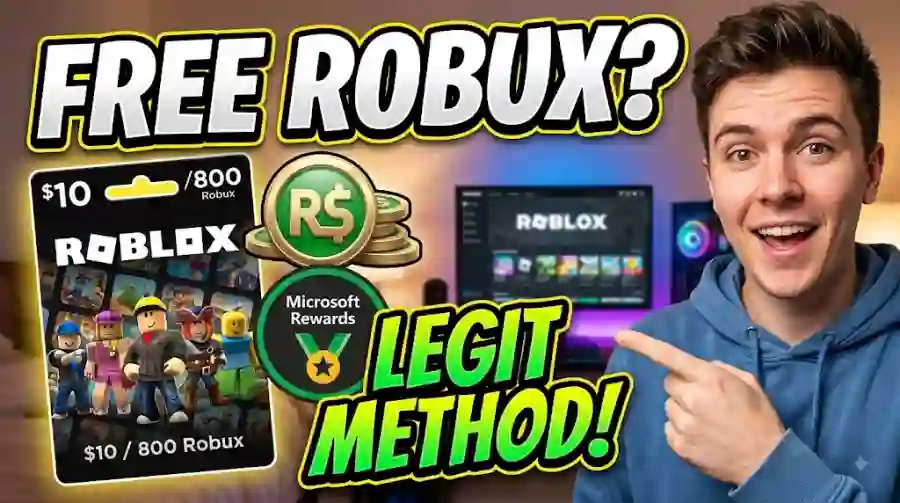
How Microsoft Rewards Can Help You Earn Roblox Gift Cards Safely and Legally
There is one important catch: Rewards catalogs, point prices, earning limits and available activities can vary by country, account and time. Microsoft itself says Rewards offers differ by region, while current Roblox Digital Card listings show that the required points can change.
Here is everything you need to know.
Highlights
- Microsoft Rewards is a free Microsoft loyalty program.
- Users can earn points through Bing searches, quizzes, daily activities and other eligible activities.
- Roblox Digital Cards are available through Microsoft Rewards in supported markets.
- The number of points required for a Roblox reward is not fixed worldwide.
- Microsoft currently shows Roblox Digital Card options on its Rewards catalog, including 800 and 1,000 Robux options in some markets.
- Microsoft warns users not to use VPNs or proxies to manipulate their Rewards region.
- You should never give a third-party website your Roblox password.
- Roblox gift cards and codes are redeemed through the official Roblox redemption system.
What Is Microsoft Rewards and Is It Really Free?
Microsoft Rewards is a free loyalty program connected to a Microsoft account. There is no membership fee simply to participate.
Microsoft says users can earn points through activities including Bing searches, quizzes, trivia, selected Xbox activities and other opportunities displayed on the Rewards dashboard. The exact opportunities and limits depend on the user's market and account.
Think of it like a digital loyalty program.
Instead of receiving a coffee-shop stamp for buying coffee, you receive Microsoft Rewards points for eligible activities within Microsoft's ecosystem.
Those points have no cash value themselves. Microsoft says that it generally takes around 5,000 points to redeem something worth about $5, although actual rewards and prices vary.
The important part for Roblox players is that Roblox Digital Cards can appear in the Rewards catalog.
Microsoft's current Rewards catalog lists a Roblox Digital Card, and one current listing shows 800 and 1,000 Robux options at 13,000 points. Another listing shows the same denominations at 16,250 points. This is a perfect example of why you should check your own Rewards dashboard rather than relying on an old points chart found online.
How Many Microsoft Rewards Points Do You Need for Robux?
This is where many outdated Roblox guides can cause confusion.
The original point figures often quoted online include:
- 100 Robux: approximately 1,500 points
- 200 Robux: approximately 3,000 points
- 400 Robux: approximately 6,000 points
- 800 Robux: approximately 12,000 points
- 1,000 Robux: approximately 15,000 points
These numbers should be treated as historical or example figures rather than guaranteed current prices.
Microsoft's current Rewards pages demonstrate that pricing can change. For example, current listings have shown an 800/1,000 Robux Roblox Digital Card for 13,000 points, while another listing currently shows 16,250 points. Microsoft also explicitly states that offers vary by country and that some gift cards may not always be available.
So the smartest strategy is simple: open your own Microsoft Rewards dashboard and check the Roblox Digital Card listing before calculating how long you need to earn.
Step-by-Step: Set Up Microsoft Rewards
Getting started is straightforward.
1. Create or Sign In to a Microsoft Account
Microsoft Rewards only requires a Microsoft account to get started. If you already have an Outlook, Hotmail, Xbox or other Microsoft account, you can use it. Otherwise, Microsoft allows you to create an account for free.
Once signed in, open the Microsoft Rewards dashboard.
2. Check the Redeem Section
Go to the Rewards catalog and search for Roblox Digital Card.
If the reward is available in your region, you can see the current Robux options and the number of points required.
The Roblox Digital Card is not guaranteed to appear in every country or at every moment. Microsoft says Rewards offers vary by country and that some gift cards may temporarily disappear from the catalog.
3. Make Roblox Your Target Reward
If your dashboard provides the option to set a Rewards goal, select the Roblox reward you are working toward.
This gives you a simple target instead of collecting points without a purpose.
4. Use Bing and Other Eligible Activities
Microsoft's official guidance lists Bing searches as one of the primary ways to earn Rewards points. Other opportunities can include quizzes, trivia, Microsoft Store activities, selected Xbox quests and mobile activities.
You do not necessarily need to use every available method every day. The most useful approach is to check your dashboard, complete legitimate activities and avoid trying to automate or manipulate the system.
The Fastest Legitimate Ways to Earn Microsoft Rewards Points
If your goal is a Roblox Digital Card, consistency matters more than chasing questionable shortcuts.
1. Complete Your Daily Activities
Microsoft regularly provides activities through the Rewards dashboard. These can include quizzes, trivia and other small tasks.
Microsoft says earning opportunities such as quizzes and trivia can be updated daily, so checking the dashboard regularly can help you find new ways to earn points.
The exact activities and rewards can change, so do not expect every user to see the same tasks.
2. Search With Bing
Bing searches remain one of the central Microsoft Rewards earning methods.
Microsoft says Level 1 members can earn points for up to 10 searches per day, while Level 2 members can earn points for up to 30 searches per day, subject to the applicable program rules and limits.
The key word here is legitimate.
Do not fill the search bar with meaningless characters simply to generate activity. Use Bing normally. Search for things you actually want to know, such as gaming news, recipes, weather information, technology topics or other everyday questions.
Microsoft's program has daily limits and country-specific rules, so trying to force extra searches is not a reliable strategy.
3. Use Bing on Mobile When Available
Microsoft also provides mobile earning opportunities through Bing and related apps.
According to Microsoft, mobile users may earn through the Bing app, Microsoft Launcher on Android, or the Edge app, although not every mobile earning method is available in every region.
If mobile Rewards activities are available on your account, they can become a convenient part of your daily routine.
4. Explore More Activities
The Rewards dashboard can contain additional opportunities beyond searches.
Microsoft recommends checking the Rewards page regularly because earning opportunities can change. Quizzes, promotional activities, articles and other tasks may appear depending on your account and location.
This is particularly useful when you are trying to reach a larger Robux reward.
5. Xbox and Game Pass Opportunities
Xbox players may have additional earning opportunities.
Microsoft says selected games and Xbox quests can provide Rewards points. These opportunities can involve playing particular games or completing selected tasks.
For players who already spend time gaming, this can make Microsoft Rewards feel less like a chore and more like an extension of their normal routine.
How to Redeem Microsoft Rewards Points for a Roblox Digital Card
Once you have enough points, the redemption process is fairly simple.
Step 1: Open the Rewards Redeem Page
Sign in to your Microsoft account and open the Rewards catalog.
Look for the Roblox Digital Card.
Step 2: Select the Available Robux Reward
Choose the Roblox option you can afford with your current point balance.
Remember that the available denominations and point requirements can change.
Step 3: Complete Microsoft's Verification
Microsoft may ask you to verify your account before completing the reward redemption.
Depending on your circumstances, Microsoft can provide different verification methods. Its current support documentation also describes QR-code verification through the Bing app as an alternative to SMS in eligible situations.
Microsoft also states that a mobile or landline number may be required for certain redemptions, while VoIP numbers are not accepted.
Step 4: Receive the Digital Code
After successful redemption, Microsoft provides the Roblox digital code or PIN according to the reward process.
Keep that code private.
Treat it like money. Anyone who gets access to a usable gift-card code may be able to redeem it.
How to Redeem the Roblox Code
Once you have your Roblox Digital Card code, go directly to the official Roblox redemption page.
Roblox Gift Card Redemption Page
Roblox's official instructions say to open Roblox.com/redeem in a web browser, sign in to your Roblox account, enter the code and select Redeem. A confirmation message should appear after the credit or item is successfully added.
The basic process is:
- Open Roblox.com/redeem.
- Sign in to the correct Roblox account.
- Enter your digital PIN or code.
- Click Redeem.
- Wait for the confirmation message.
- Check your Roblox balance.
Roblox notes that standard mobile apps and consoles do not normally provide the gift-card redemption page. Redemption is generally handled through a web browser, with a specific in-app redemption option available for Samsung Galaxy users.
Why You Should Avoid Free Robux Generators
This is the part every Roblox player should take seriously.
A website promising "10,000 free Robux instantly" may look convincing, but the promise itself should make you suspicious.
Common scam tactics include:
- Fake Robux generators
- Fake verification pages
- Password collection forms
- Phishing links
- Suspicious browser extensions
- Forced downloads
- Endless survey loops
- Fake Roblox login pages
- Requests for account cookies or security information
The biggest warning sign is a website asking for your Roblox password in exchange for Robux.
You should never give your password to a third-party "generator."
The safest approach is to use official Microsoft Rewards pages and the official Roblox redemption system.
Microsoft Rewards Myths vs. Facts
Myth: "Roblox will ban me for using Microsoft Rewards."
Reality: Microsoft Rewards itself is an official Microsoft rewards program, and Microsoft currently lists Roblox Digital Cards in its Rewards catalog.
The important distinction is that users should follow both Microsoft Rewards rules and Roblox's terms rather than trying to manipulate the system.
Myth: "A VPN will give me more Rewards points."
Reality: This is a bad idea.
Microsoft specifically says Rewards offers vary by country and instructs users to redeem in the region where they signed up. Microsoft also warns users not to use VPNs or proxies to conceal their location or attempt to redeem from another market.
A VPN is therefore not a legitimate shortcut.
Myth: "Microsoft needs my Roblox password."
Reality: No.
The Rewards process gives you a Roblox digital code that is redeemed through Roblox's official redemption system. The Roblox redemption instructions require you to sign in to your Roblox account and enter the code at the official redemption page.
There is no reason to give a random website your Roblox password.
Important Regional and Account Restrictions
One of the most important details often missing from older Microsoft Rewards guides is regional availability.
Microsoft says Rewards offers vary by country. It also says some gift cards may not always be available and that users should redeem rewards in the same region where they signed up.
That means a YouTube video or blog post showing a particular Robux reward does not guarantee that you will see the same offer.
The same applies to point requirements.
One Microsoft Rewards listing currently shows a Roblox Digital Card at 13,000 points, while another current listing shows 16,250 points.
So always trust the information displayed inside your own Microsoft Rewards account over an old screenshot.
What About Roblox Gift Card Rules?
Roblox's gift-card terms contain several important restrictions.
Gift cards cannot simply be exchanged for cash, and Roblox says gift cards obtained through unauthorized sellers may not be honored. The company also states that gift cards cannot be resold.
Roblox also says gift cards do not expire and do not have inactivity, maintenance or service fees under the applicable U.S. terms. However, regional terms can differ, so users should check the terms associated with their market.
This is another reason to avoid buying or trading suspicious codes from strangers.
An official Microsoft Rewards redemption is much easier to verify than a code offered through an unknown marketplace or social-media account.
Industry Impact: Why Official Rewards Matter
The bigger story behind Microsoft Rewards is not really about getting something for nothing.
It is about rewarding everyday digital activity.
Microsoft benefits when users engage with Bing, Edge, Xbox and its wider ecosystem. Players benefit by receiving points that can eventually be exchanged for rewards.
For Roblox users, the Roblox Digital Card adds a gaming-focused reason to participate.
This model also highlights an important shift in online gaming. Players are increasingly interested in legitimate ways to reduce spending without risking their accounts. At the same time, scam websites continue to exploit that demand.
That makes trusted reward programs more valuable.
The difference is simple: a legitimate rewards program tells you exactly what you are earning and how the redemption works. A scam promises an unrealistic amount of Robux and asks you to surrender something valuable in return.
Why Microsoft Rewards Is Worth Considering
Microsoft Rewards is not a magic Robux button.
You still have to earn the points.
But that is exactly why it is safer.
You are not downloading an unknown program. You are not handing your Roblox password to a stranger. You are not paying a website for a "verification." Instead, you complete eligible Microsoft activities and exchange accumulated points for an available reward.
For someone who already uses Bing, Xbox or Microsoft's services, the program can be particularly convenient.
The biggest advantage is also the simplest one: you know where the reward comes from.