Here's How to Redeem Rewards Correctly and Fix Every Common Error
These rewards often come in the form of Gems, Divine Trait Crystals, Wishes, Trait Shards, and other valuable resources. However, many players run into frustrating problems when attempting to redeem them. Some receive an "Invalid Code" message, others cannot locate the redemption menu, and some discover that the system simply refuses to accept their code.
Highlights
What You'll Learn in This Guide
- How the Anime Defenders reward redemption system works
- Requirements you must meet before redeeming codes
- Step-by-step instructions for claiming rewards
- Common redemption errors and their solutions
- How to avoid invalid code messages
- Tips for ensuring successful reward claims after updates
- A complete troubleshooting checklist for quick fixes
Why Anime Defenders Rewards Matter
Progression in Anime Defenders revolves around collecting resources that help improve your roster and increase your chances of obtaining stronger units.
Resources such as Gems, Divine Trait Crystals, and Wishes are among the most valuable currencies in the game. Players use them to unlock new opportunities, strengthen existing units, and stay competitive as new content arrives.
Because these resources can require significant gameplay time to obtain through regular grinding, promotional rewards have become one of the most valuable benefits offered by the developers. A single code redemption can provide resources that would otherwise require multiple matches or extended play sessions to earn.
That is exactly why understanding the redemption system is important. Missing a reward due to a simple error can mean losing access to valuable resources that may only be available for a limited time.
The Golden Rules Before You Redeem
Before attempting to redeem any rewards in Anime Defenders, players must understand that the game includes several built-in restrictions designed to protect the system from abuse.
These restrictions frequently catch new players by surprise and are often the primary reason redemption attempts fail.
The Level 8 Requirement
One of the most important requirements involves player level.
Anime Defenders does not allow newly created accounts to immediately access the reward redemption system. The developers implemented a level restriction to reduce bot activity and prevent automated accounts from farming promotional rewards.
What You Need to Do
You must reach Level 8 before the code redemption system becomes available.
If your account has not yet reached Level 8, every redemption attempt will fail regardless of whether the code is active or entered correctly.
For newer players, focusing on progression and completing matches until reaching the required level should be the first priority before attempting to claim any promotional rewards.
The 90-Day Roblox Account Age Requirement
Another commonly overlooked restriction involves the age of your Roblox account.
Anime Defenders requires players to use a Roblox account that is at least 90 days old before redemption features become accessible through the game's menu system.
Why This Restriction Exists
Just like the Level 8 requirement, this limitation helps reduce abuse from newly created bot accounts that might otherwise attempt to claim large quantities of promotional rewards.
What Happens If Your Account Is Too New?
If your Roblox account has not yet reached the 90-day threshold, you may notice that:
- Redemption options are unavailable
- The code menu fails to appear
- Certain redemption features remain locked
- Reward claims do not process correctly
Players must satisfy both the account-age requirement and the Level 8 requirement before they can successfully use the reward redemption system.
Are You Eligible to Redeem Rewards?
Before proceeding, make sure both conditions are true:
Redemption Requirements Checklist
Your Anime Defenders profile has reached Level 8 or higher
Your Roblox account is at least 90 days old
If both requirements are met, you're ready to start claiming rewards.
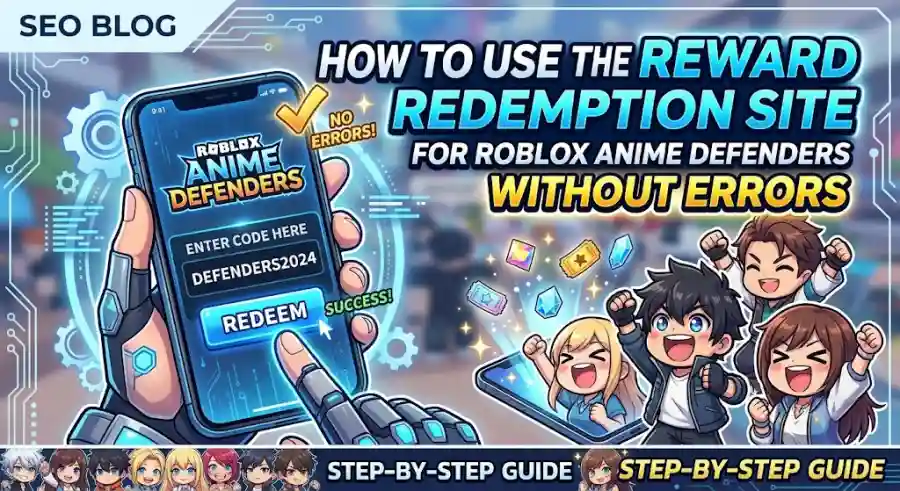
Step-by-Step Guide to Redeeming Rewards in Anime Defenders
Unlike some Roblox experiences that redirect players to external websites or browser-based redemption portals, Anime Defenders handles the entire reward redemption process directly within the game itself.
This makes the process fast and convenient when done correctly.
Follow these steps carefully.
Step 1: Launch Anime Defenders
Open Roblox on your preferred platform and launch Anime Defenders.
The game supports redemption through:
- PC
- Mobile devices
- Consoles
Wait until the game fully loads and places you inside the main lobby.
Step 2: Locate the Top-Left Corner Menu
Once you have entered the lobby, direct your attention toward the top-left section of the screen.
This area contains several interface options used for account management and game features.
Step 3: Select the Three-Dot Menu
Look for the three-dot menu icon represented by:
"…"
Tap or click this icon.
A drop-down menu will appear containing additional game options.
Step 4: Open the Codes Menu
Inside the drop-down menu, locate and select the Codes button.
After clicking it, a redemption window containing a text field should appear on your screen.
This is where active reward codes are entered.
Step 5: Enter Your Active Code
Carefully type or paste your reward code into the provided text box.
Accuracy is extremely important because Anime Defenders uses strict validation when processing reward claims.
Even a minor mistake can trigger an error message.
Step 6: Press Redeem
Once your code has been entered correctly, click the Redeem button.
If the code is valid and your account meets all requirements, the reward will be processed immediately.
Rewards may include:
- Gems
- Trait Shards
- Divine Trait Crystals
- Wishes
- Other promotional resources released by the developers
These items are typically added directly to your inventory without requiring any additional confirmation.
Common Anime Defenders Redemption Errors and How to Fix Them
Even when players follow every redemption step correctly, issues can still occur.
Fortunately, most problems have straightforward solutions.
Below are the most common redemption errors and the best ways to resolve them.
1. Case Sensitivity and Typing Errors
One of the biggest causes of failed redemptions is simple human error.
Anime Defenders codes are highly case-sensitive, meaning uppercase letters, lowercase letters, numbers, symbols, and spacing must match exactly as intended by the developers.
A single incorrect character can cause the system to reject the code.
Example Problems
- Incorrect capitalization
- Missing numbers
- Additional spaces
- Extra punctuation
- Misspelled characters
The Best Fix
Avoid manually typing codes whenever possible.
Instead:
- Copy the code from a trusted source.
- Paste it directly into the redemption field.
- Double-check for accidental spaces before or after the code.
Many mobile devices automatically insert hidden spaces during copy-and-paste actions, which can cause otherwise valid codes to fail.
Taking a few seconds to verify the formatting can save a lot of frustration.
2. The Code Has Expired
Anime Defenders developers regularly release new promotional codes during:
- Milestone celebrations
- Major updates
- Weekend events
- Community achievements
- Patch-related compensation periods
However, many of these rewards are only available for a limited time.
Some remain active for weeks, while others disappear surprisingly quickly.
Common Symptom
You enter a code correctly, but the game still displays an "Invalid Code" error.
The Most Likely Cause
The code has expired and is no longer included in the active reward list.
The Best Fix
Always verify code status through:
- Official community announcements
- Developer updates
- Trusted code-tracking resources
- Active Anime Defenders communities
Using outdated code lists is one of the most common reasons players encounter redemption failures.
3. Outdated Server Sessions
Large Anime Defenders updates often introduce new content alongside fresh reward codes.
When these updates launch, not every active server immediately transitions to the latest version.
As a result, players may attempt to redeem a newly released code while connected to an older server instance that does not yet recognize it.
Common Symptom
A newly announced code fails despite being entered correctly.
The Best Fix
Follow these steps:
- Leave your current game session.
- Close Roblox completely.
- Relaunch Roblox.
- Join a fresh server.
Connecting to an updated server often resolves the issue instantly.
4. Code Already Redeemed
Most Anime Defenders promotional rewards are limited to one redemption per Roblox account.
Once claimed successfully, the same code cannot usually be used again.
Common Symptom
A previously redeemed code suddenly fails.
The Most Likely Cause
Your account has already claimed that reward.
The Best Fix
Check whether you have redeemed the code in the past.
Unless developers specifically announce a special event exception, promotional codes can only be redeemed once per account.
Attempting to reuse them will result in a failed redemption message.
Quick Troubleshooting Checklist
When something goes wrong, use this checklist to quickly identify the problem.
| Error Symptom | Potential Cause | Quick Solution |
|---|---|---|
| Codes option is missing or unavailable | Account restrictions | Reach Level 8 and verify your Roblox account is at least 90 days old |
| "Invalid Code" appears immediately | Typo or expired code | Copy and paste the code and verify it is still active |
| Redeem button does not respond | Server lag or outdated server | Restart Roblox and join a fresh server |
| Previously working code fails | Already redeemed | Confirm whether the reward was claimed earlier |
| New update code won't work | Server version mismatch | Exit and reconnect to a newly updated server |
Industry Impact: Why Roblox Games Use Redemption Restrictions
The restrictions used by Anime Defenders reflect a broader trend across major Roblox experiences.
Popular Roblox games increasingly implement account-age requirements, progression locks, and anti-bot systems to protect in-game economies and maintain fair reward distribution.
Without these protections, automated accounts could claim thousands of promotional rewards, reducing the effectiveness of community events and damaging the game's economy.
By requiring players to reach Level 8 and maintain a Roblox account older than 90 days, Anime Defenders helps ensure that rewards are distributed to legitimate players rather than automated systems.
This approach has become increasingly common among top-performing Roblox titles in recent years.
Why This Matters for Players
Understanding the redemption process is more important than many players realize.
Every major Anime Defenders update has the potential to introduce valuable promotional rewards that can accelerate progression and improve team strength.
Missing out because of a preventable error can delay upgrades, reduce resource gains, and create unnecessary frustration.
By learning the requirements, understanding the common mistakes, and following the correct redemption procedure, players can consistently claim rewards whenever new codes become available.