Latest ASTD Codes 2026 Claim Free Stardust, Gems, EXP Boosts, and Special Units in Roblox
To help you stay ahead of the competition, we've compiled the latest verified All Star Tower Defense codes currently available in June 2026, along with redemption instructions, reward explanations, troubleshooting tips, and additional ways to earn valuable resources.
Main Highlights
What You'll Find in This Guide
- Complete list of active ASTD codes
- Free Stardust rewards
- Free Gems rewards
- Exclusive unit unlocks
- Step-by-step redemption instructions
- Reasons why codes may not work
- Additional methods to farm rewards
- Tips for maximizing account progression
Active All Star Tower Defense Codes (June 2026)
Below is the latest verified list of currently working All Star Tower Defense codes. Remember that ASTD code redemption can be very specific. Always enter codes exactly as shown, including proper capitalization, numbers, and symbols where applicable.
| Code | Reward Description | Requirements / Notes |
|---|---|---|
| twete93 | 140 Stardust & 2,000 Gems | None |
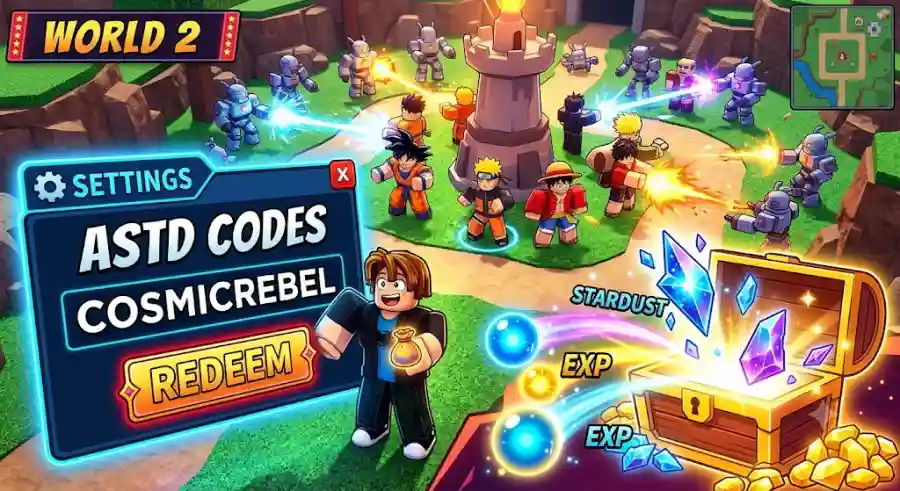
| cosmicrebel | 170 Stardust & 2,700 Gems | None |
| tungtungnobannersahur | 120 Stardust & 300 Gems | None |
| omgupdate2026 | 170 Stardust & 2,700 Gems | Level 50+ Required |
| fordanielxd | 67 Gems, 67 Stardust & Zero (Daniel) Unit | Level 100+ Required |
| ultramicro | 100 Stardust & 300 Gems | None |
| game1 | 100 Stardust & 300 Gems | None |
One of the most common frustrations among ASTD players occurs when a freshly released code appears invalid despite meeting all listed requirements.
In many cases, the issue isn't the code itself.
Older game servers occasionally continue running outdated versions of the game after a major update. Since newly released codes are often tied to the latest patch, those older servers may not recognize them immediately.
Quick Fix
If a code refuses to redeem:
- Leave your current server.
- Join a fresh public server.
- Alternatively, join a VIP server.
- Try redeeming the code again.
Many players report that this simple solution resolves code-related issues almost instantly.
How to Redeem Codes in All Star Tower Defense
If you're new to ASTD or haven't played in a while, the redemption menu can be easy to miss.
Fortunately, claiming your free rewards only takes a few seconds.
Step-by-Step Redemption Guide
Step 1: Launch ASTD
Open Roblox and start All Star Tower Defense.
Step 2: Find the Settings Button
Look toward the upper-left corner of your screen and locate the Gear Icon.
Step 3: Open Settings
Click or tap the Gear Icon to access the settings menu.
Step 4: Locate the Code Box
Inside the settings menu, you'll find a dedicated text field designed specifically for code redemption.
Step 5: Enter a Code
Copy one of the active codes listed above and paste it directly into the redemption box.
Step 6: Claim Your Rewards
Press Enter or use the Social Rewards button to instantly receive your rewards.
If the code remains active and your account meets all requirements, the rewards will be added immediately.
Understanding ASTD Rewards
Many players redeem codes without fully understanding how valuable the rewards actually are.
Let's break down the purpose of each major reward type and why experienced players prioritize them.
Gems: The Core Summoning Currency
Gems serve as the primary currency throughout All Star Tower Defense.
Most players spend Gems on:
- Hero Summon Banners
- Banner X summons
- Banner Y summons
- Banner Z summons
- Unit acquisition
- Expanding roster options
Because summon banners rotate regularly, maintaining a large Gem reserve is incredibly important.
When a powerful meta character finally appears in rotation, players with enough Gems can perform multiple summons and significantly improve their chances of securing that unit.
For many ASTD veterans, Gems are the foundation of long-term progression.
Stardust: The Most Valuable Resource
While Gems are important, many experienced players would argue that Stardust is even more valuable.
Why Stardust Matters
Stardust is used for:
- Special premium summons
- Advanced character evolution
- Endgame progression systems
- Acquiring powerful high-tier units
- Strengthening meta-defining characters
Unlike Gems, Stardust is considerably harder to obtain through normal gameplay.
Because of this scarcity, codes that provide Stardust are often considered the most valuable giveaways released by the developers.
Whenever new Stardust codes become available, players rush to redeem them before expiration.
EXP: Faster Account Progression
Experience points play a crucial role in unlocking additional game content.
ASTD uses account-level requirements for various features and rewards.
For example:
- Some codes require Level 50+
- Others require Level 100+
- Advanced content unlocks at higher levels
- Better progression systems become available over time
By earning EXP through gameplay and rewards, players can steadily unlock:
- Higher-tier code rewards
- Additional game modes
- Advanced banners
- More challenging content
- Improved progression opportunities
For newer players especially, account levels can be just as important as collecting strong units.
Why Your ASTD Codes Might Not Work
Nothing is more disappointing than finding a new code online only to receive an error message.
Fortunately, most redemption issues have simple explanations.
1. The Code Has Expired
ASTD developers are known for releasing limited-time codes.
Many update-related codes, milestone celebrations, compensation rewards, or server apology codes remain active for only a short period.
In some cases, codes may disappear within:
- 24 hours
- 48 hours
- A few days after release
If a code suddenly stops working, expiration is usually the first thing to check.
2. You Don't Meet the Level Requirement
Certain rewards are locked behind account-level milestones.
For example:
- omgupdate2026 requires Level 50+
- fordanielxd requires Level 100+
If your account hasn't reached the required level yet, the game will reject the code even if it remains active.
The solution is straightforward: continue progressing through Story Mode and other content until you meet the requirement.
3. Typing Errors
ASTD code redemption is highly sensitive.
Even a single incorrect character can invalidate the entire code.
Common mistakes include:
- Missing letters
- Incorrect capitalization
- Extra spaces
- Mistyped numbers
- Copying incomplete codes
To avoid errors entirely, it's always best to copy and paste codes directly from a trusted source.
4. Outdated Server Version
As mentioned earlier, server version mismatches occasionally prevent code redemption.
Joining a newer server usually fixes the issue.
More Ways to Get Free Rewards in ASTD
Even after redeeming every active code, there are still several reliable ways to continue earning resources.
Players who consistently use these methods can accumulate substantial amounts of Gems and Stardust over time.
Daily Login Rewards
One of the simplest reward systems in the game is also one of the most overlooked.
You don't always need to grind for hours.
Simply logging into the game each day can provide valuable bonuses through the login calendar.
Benefits often include:
- Gems
- Boosts
- Event rewards
- Additional resources
Consistency pays off.
Use the Time Chamber for AFK Farming
The Time Chamber remains one of the most efficient passive farming systems available in ASTD.
Why Players Love the Time Chamber
It allows players to:
- Earn rewards while away from the keyboard
- Generate resources passively
- Farm while studying
- Farm while sleeping
- Maximize efficiency during downtime
If you're unable to actively play matches, the Time Chamber can still help you build resources steadily.
Push Further in Infinite Mode
Infinite Mode remains one of the most rewarding challenges in the game.
Players who reach higher wave milestones often receive significant one-time rewards.
Benefits include:
- Large Gem payouts
- Milestone rewards
- Progression bonuses
- Improved strategic gameplay experience
Testing different unit combinations and defensive strategies can help you push farther than expected.
Follow Official Community Channels
Staying connected with the game's community is one of the best ways to discover new rewards before everyone else.
Developers frequently announce:
- New update codes
- Balance changes
- Event rewards
- Limited-time giveaways
- Future content teasers
Many dedicated players monitor official community channels daily to avoid missing valuable rewards.
The game's Discord server remains a popular source of announcements, while developers and creators such as FruitySama and NavyXFlame often share previews, updates, and code-related information.
Industry Insight: Why Roblox Games Continue Using Reward Codes
Reward-code systems have become a major trend across Roblox's most successful experiences.
Games such as anime battlers, simulator titles, RPGs, and tower defense experiences regularly use codes to maintain player engagement.
For developers, codes provide several advantages:
- Encouraging player retention
- Celebrating milestones
- Promoting updates
- Compensating for downtime
- Building community excitement
For players, the benefits are obvious.
Free resources help reduce grind, improve progression speed, and make major updates more accessible to everyone.
ASTD has successfully used this strategy for years, which is one reason it continues to maintain a loyal player base despite intense competition within the Roblox anime gaming genre.
Why These Codes Matter Right Now
The current batch of June 2026 codes offers a substantial amount of resources.
Combined together, players can earn:
- Thousands of Gems
- Hundreds of Stardust
- Valuable progression boosts
- An exclusive Zero (Daniel) unit for eligible players
Considering how difficult Stardust can be to obtain through regular gameplay, redeeming active codes immediately should be a top priority.
Waiting too long could mean missing rewards permanently if the developers decide to deactivate them.